

Salon POS · South Africa
A salon till that works with your card machine
Keep your Yoco, iKhokha or bank card machine. Blyssbook adds the booking, the bill, the tip and the VAT invoice, and adds up every rand at the end of the day.
- Card, cash & SnapScan
- Split bills
- Tips per person
- VAT invoices
- Day-end cash-up
- Products & stock
- Online booking
- WhatsApp booking
- 14-day free trial
- No card needed
- No commission, ever
Where a salon till loses money
A cash-up that doesn't add up
Card slips, cash and SnapScan on three different lists. Blyssbook totals each way you were paid, every day.
Tips and commission on paper
Every tip is linked to the person who did the work, and commission is worked out from what they sold.
Typing the price twice
The booking already has the service and the price, so checkout is one tap instead of a new bill.
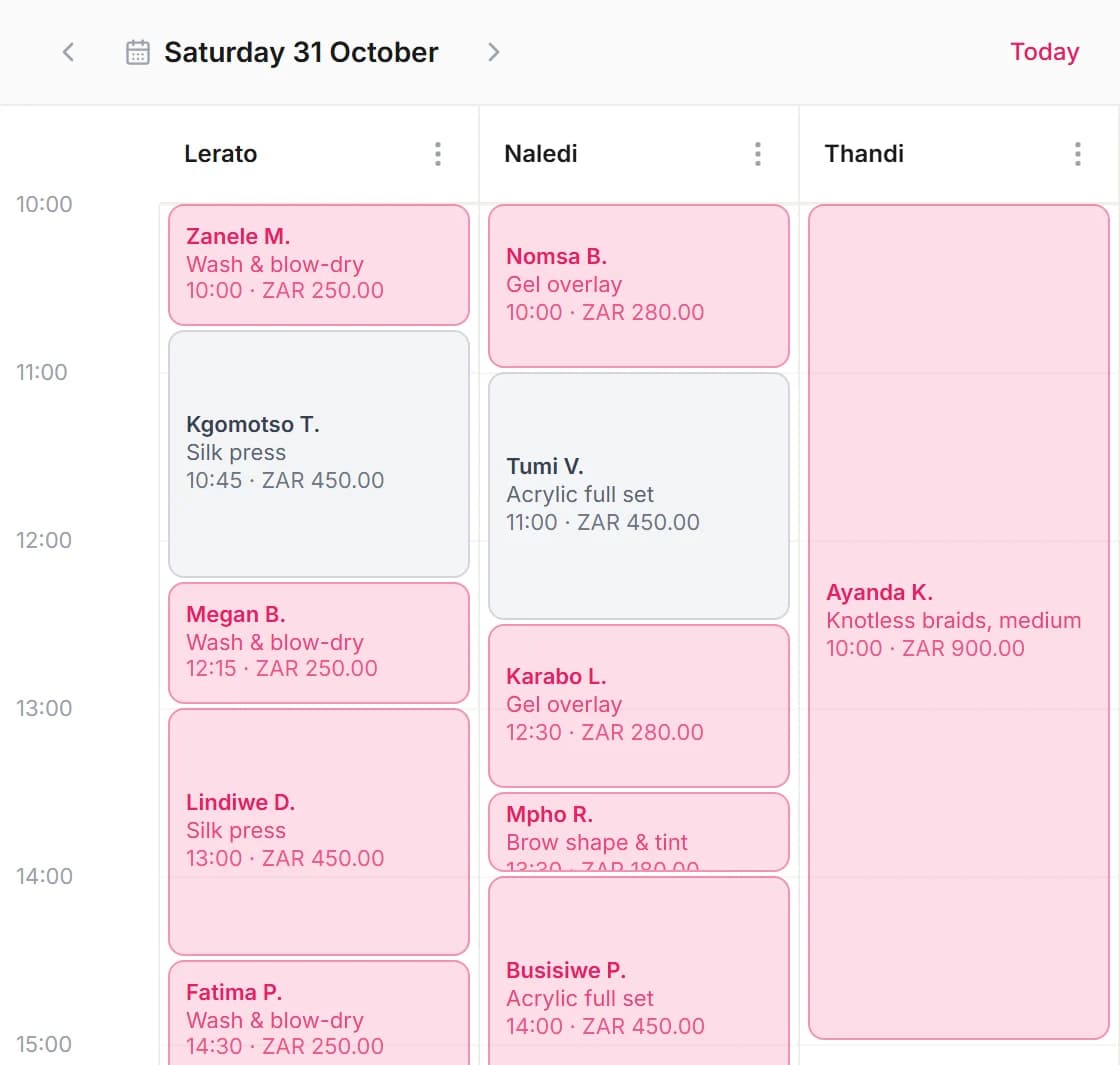
Everything at the front desk
From the booking to the day-end total, in one place.
Bookings go straight to the till
Open today's booking, add a product if they bought one, and take payment. Walk-ins too.
Your own payment buttons
Cash, Card and Transfer are built in. Add SnapScan, Zapper or anything else you take in Settings → Payment methods.
Split payment
Part cash, part card? Split one bill across two or more ways to pay.
Tips for each person
Add a tip as a percentage or an amount, and it goes to the person who did the service.
Discounts with a limit
Set how big a discount your team can give. Anything above it needs a manager's PIN at the till.
Refunds that fix your stock
Refund a sale and any product sold goes back into stock.
Close the register
At the end of the day, see the total for cash, card, SnapScan and every other method, then close the day.
VAT invoices and receipts
Switch VAT on, add your VAT number and print a receipt or invoice for any sale.
Products and stock
Sell retail at the till, see what's running low, and credit the sale to the right person.
What checkout looks like
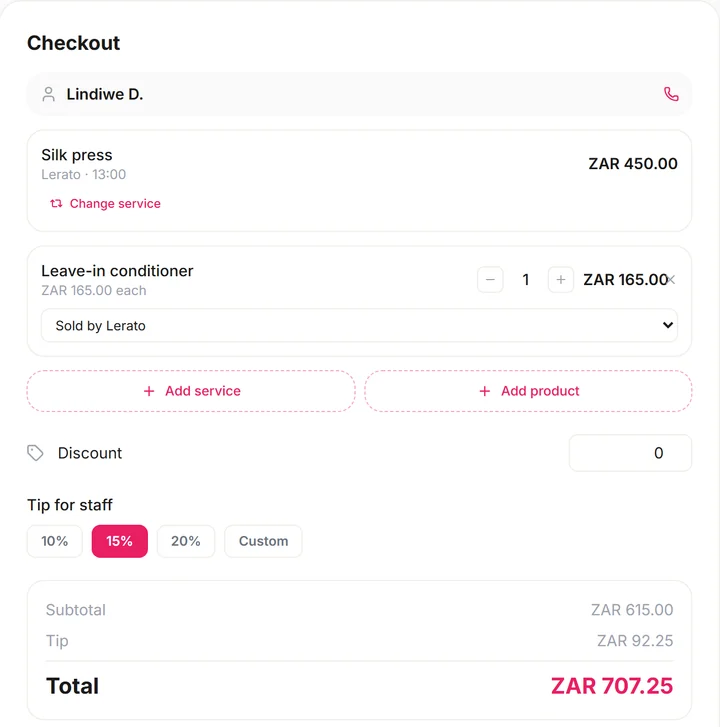
One bill: service, product, tip
A silk press, a leave-in conditioner and a 15% tip, ready to pay.
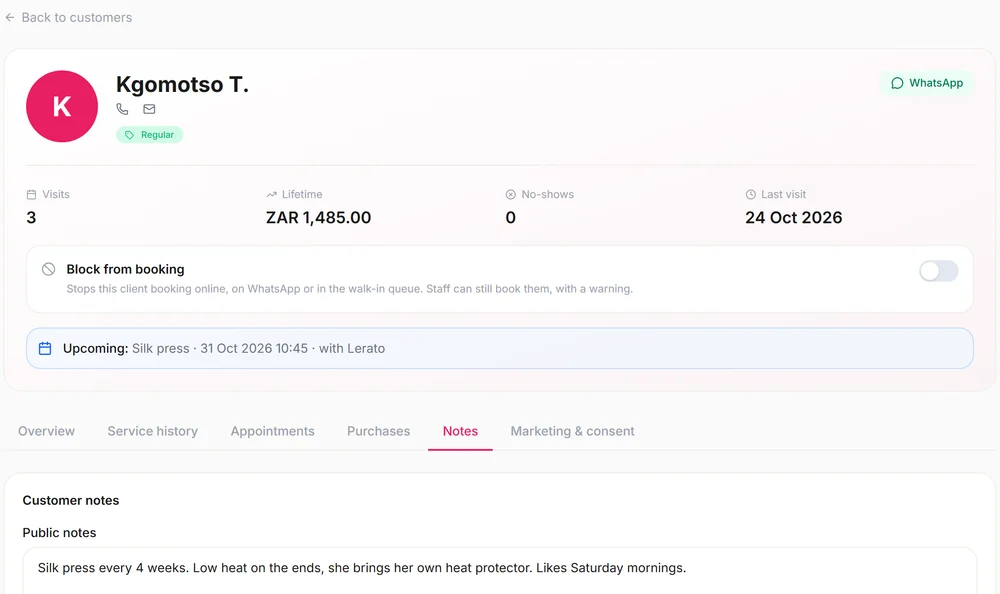
What each client spends
Every sale is saved on the client's card with your notes.
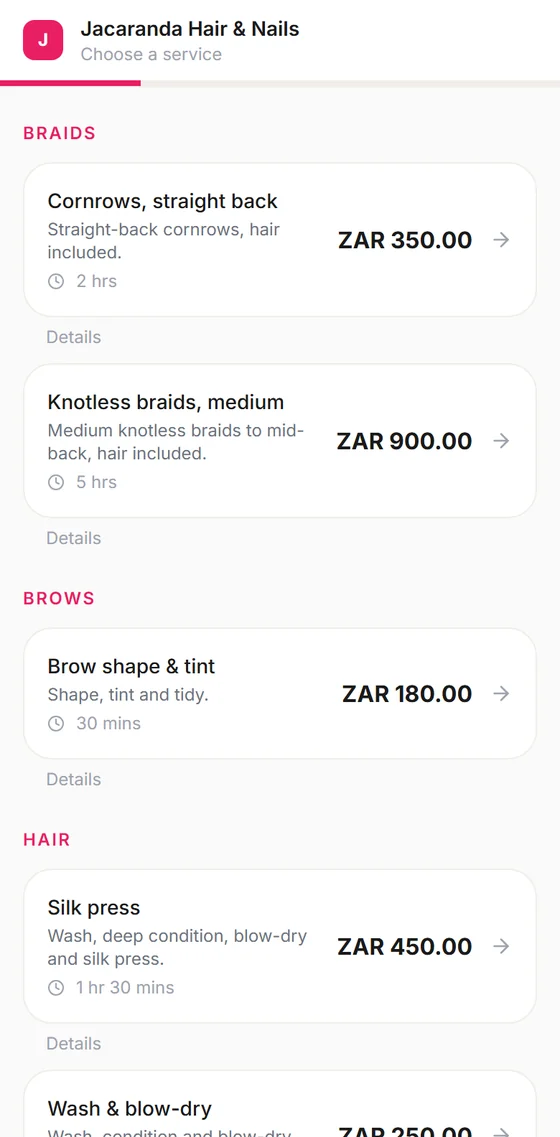
Booked online, paid at the till
Clients book on their phone; you check them out when they're done.
Set up
Your till ready in three steps
Step 1: Add your ways to pay
Cash, Card and Transfer are there. Add SnapScan, Zapper or any other method you take.
Step 2: Switch VAT on if you're registered
Set the rate and your VAT number in your invoice settings.
Step 3: Check clients out
Open the booking, add products and a tip, and choose how they paid.
One monthly price. No commission.
Every plan starts with a 14-day free trial. No card needed.
Starter
R183/month
For working alone or a small salon
- Online booking page
- Calendar for up to 5 staff
- Till, tips & invoices
- Client records
- WhatsApp booking menu
- Stock & reports
No card needed
Professional
R350/month
For a busy salon with a team
- Everything in Starter
- Automatic WhatsApp reminders
- AI on WhatsApp, Instagram & Messenger
- Packages, memberships & loyalty
- Commissions & payroll
- Up to 15 staff
No card needed
Enterprise
R817/month
For more than one branch
- Everything in Professional
- Up to 10 branches
- Unlimited staff
- Waitlist & QR check-in
- AI phone receptionist (beta)
No card needed
Salon POS questions from South African owners
Does Blyssbook work with my Yoco or iKhokha card machine?
Yes, side by side. You take the card on your machine as you do now, then tap Card at the Blyssbook till so the sale, the tip and the day-end total are recorded. Blyssbook doesn't connect to the machine or process the card itself.
Can I record SnapScan and Zapper payments?
Yes. Add them under Settings → Payment methods. Each one gets its own button at the till and its own line when you close the register, so you can match it against your SnapScan or Zapper statement.
Can I split a bill between cash and card?
Yes. Choose Split payment and enter how much is paid each way. The amounts must add up to the bill before you can finish.
Does the POS do VAT invoices?
Yes. Switch VAT on in your invoice settings, set the rate and add your VAT number, and they print on the receipt and invoice. If you're not VAT-registered, leave it off. Ask your accountant to check your own VAT setup.
Do I need special hardware?
No. The till runs in the browser on a laptop, tablet or phone, or in the Blyssbook app on Android. Receipts print from the browser to the printer you already have.
How much does the salon POS cost?
The till is in every plan. Starter is about R183 a month and Professional, which adds commissions and payroll, is about R350. No commission on sales, and a 14-day free trial with no card.
Try the Blyssbook till free for 14 days
Add your services and ways to pay, and check out your first client today.
No card needed. Cancel any time.
Salon software for South AfricaFresha & Booksy alternativePrices in rand
Yoco, iKhokha, SnapScan and Zapper are trademarks of their owners. Blyssbook is not affiliated with them; it records the payment, and the card machine or app processes it.