

In-depth guide
Compare and decide: Blyssbook against other hair salon software
Prices, what each plan includes, where Booksy, Vagaro, GlossGenius or Fresha is the better choice, and what Blyssbook does not do yet.
What is the best software for a hair salon?
The one that matches how your clients book and how you pay stylists. If clients message you on WhatsApp and Instagram, and you pay commission plus tips, Blyssbook covers both from $11 a month with no fee per booking. If you want a marketplace to send you new clients, Booksy or Fresha may suit you better.
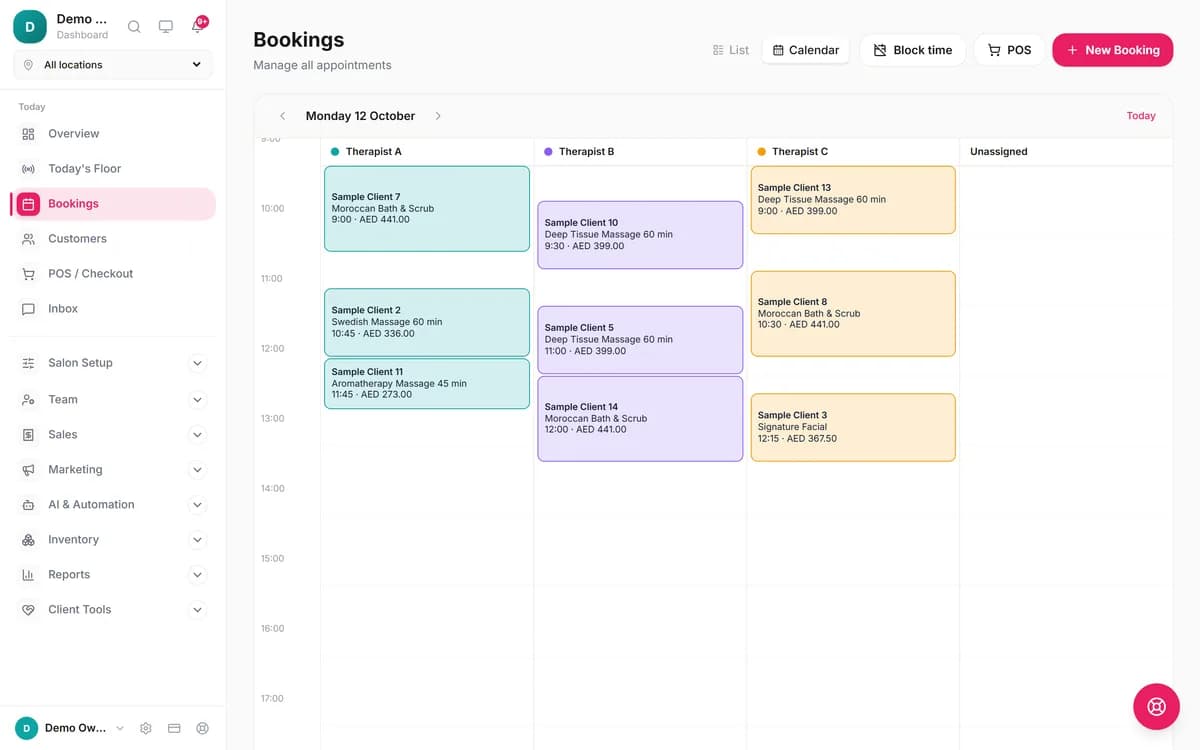
Below is how the parts that matter to a hair salon work in Blyssbook, with the plan each one needs. The screenshots come from our demo salons (a spa and a barbershop) because the screens are the same for a hair team.
Can clients book a specific stylist online?
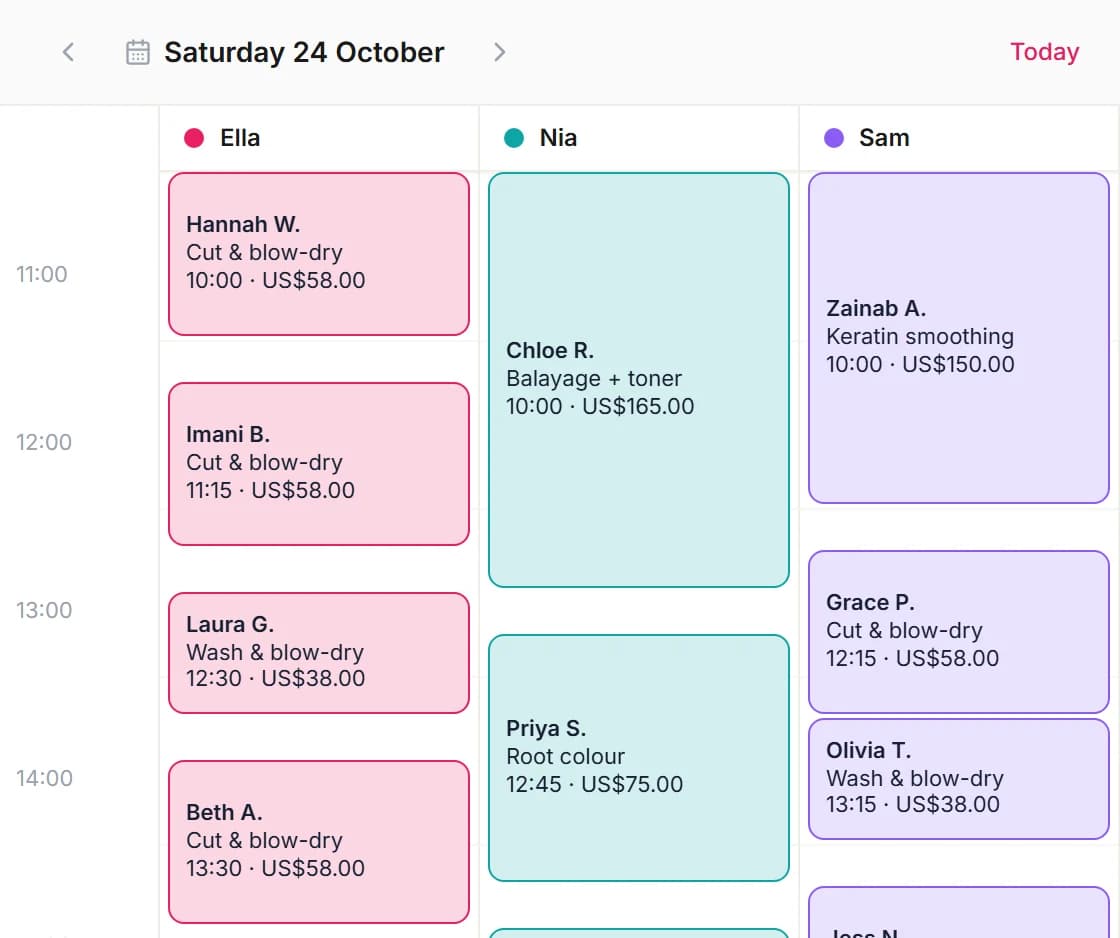
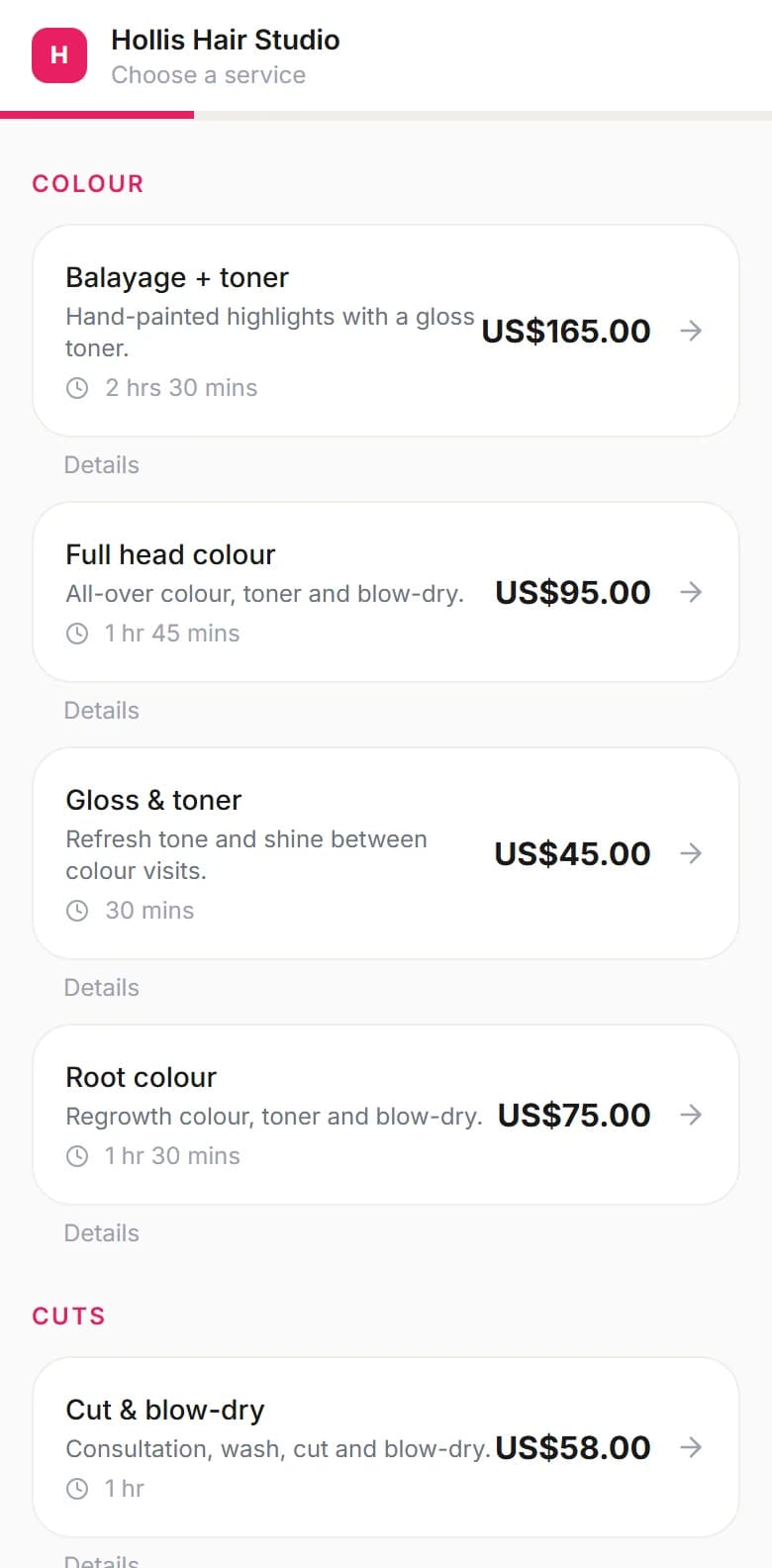
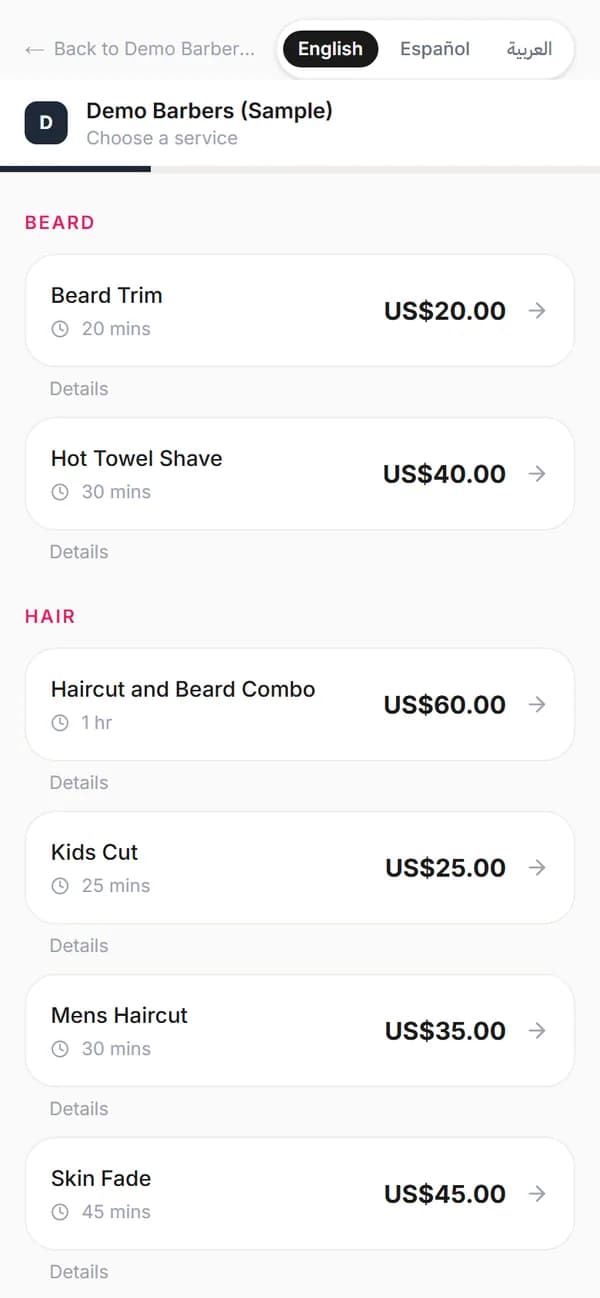
Yes, on every plan. Your booking page asks the client to choose a service, then a stylist or "Any available", then a date and time from that stylist's real free slots. Each stylist has their own working hours, and the calendar shows one column per person, so the booking page only offers times that are really free.
How do you schedule color services with processing time?
Turn on overlap for that service. While a color processes, Blyssbook lets a set number of other clients start with the same stylist, on the booking page, in the WhatsApp bot and on the dashboard alike. It's off by default, so a balayage blocks the stylist for its full length until you switch it on.
- Go to Salon Setup → Services and open the color service.
- Tick Another client can be booked during this one.
- Set How many other clients at the same time? (1 is the default) and save.
Leave it off for cuts and anything that needs your hands the whole time. Services you only sell in the chair, such as a gloss add-on, can be hidden from online booking but stay bookable at the desk.
Where do you keep a client's color formula?
On the client's profile, in the "Hair color formula" field, next to allergies, preferences and notes. It's a free-text note such as "6N + 7.4 + 6vol developer" that any stylist can read before the appointment. The profile also shows visit history, spend, no-shows and the next booking.
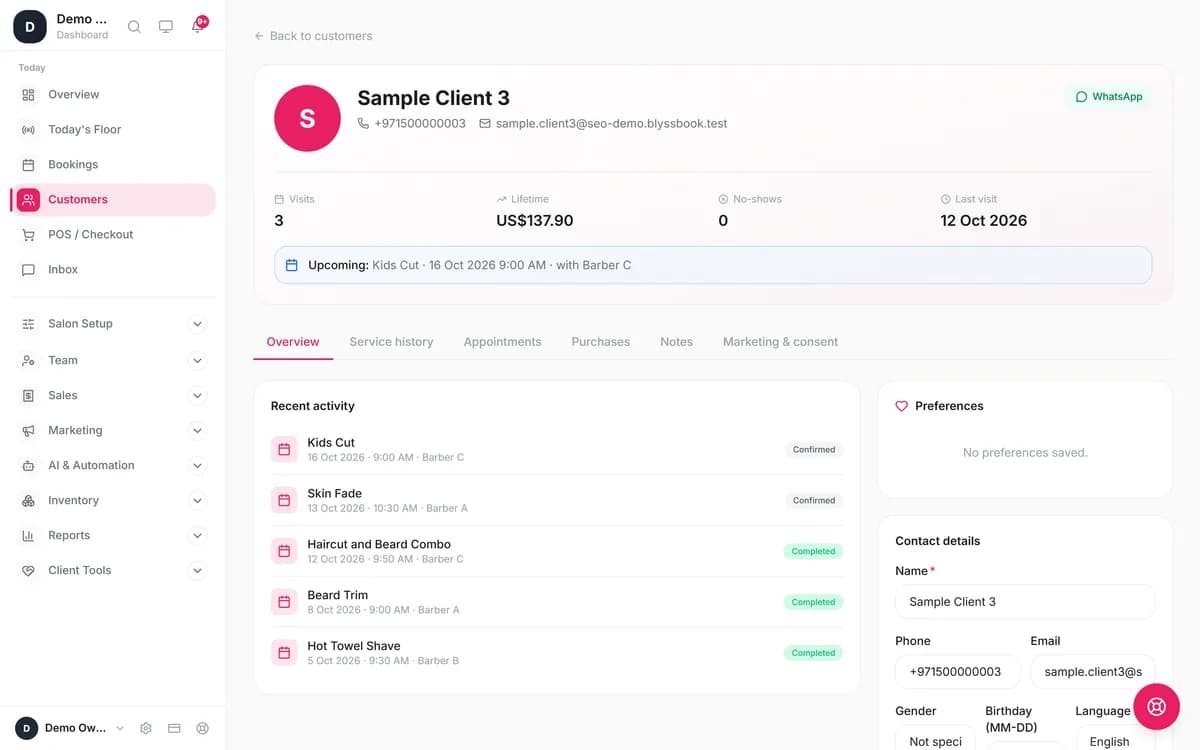
For tints and lightener you can also record patch tests per client (product, date, result and expiry). There's no before-and-after photo gallery on the formula itself.
Which salon software has built-in tipping?
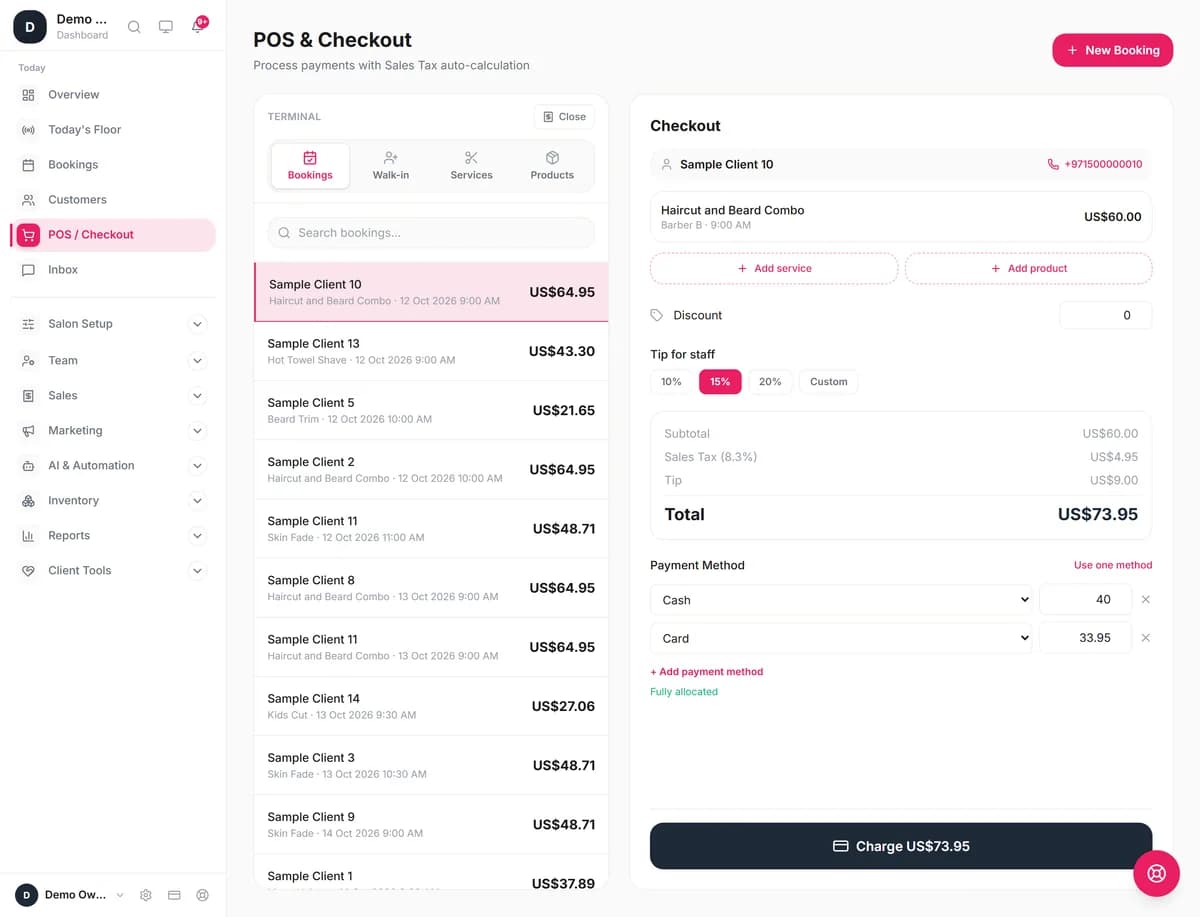
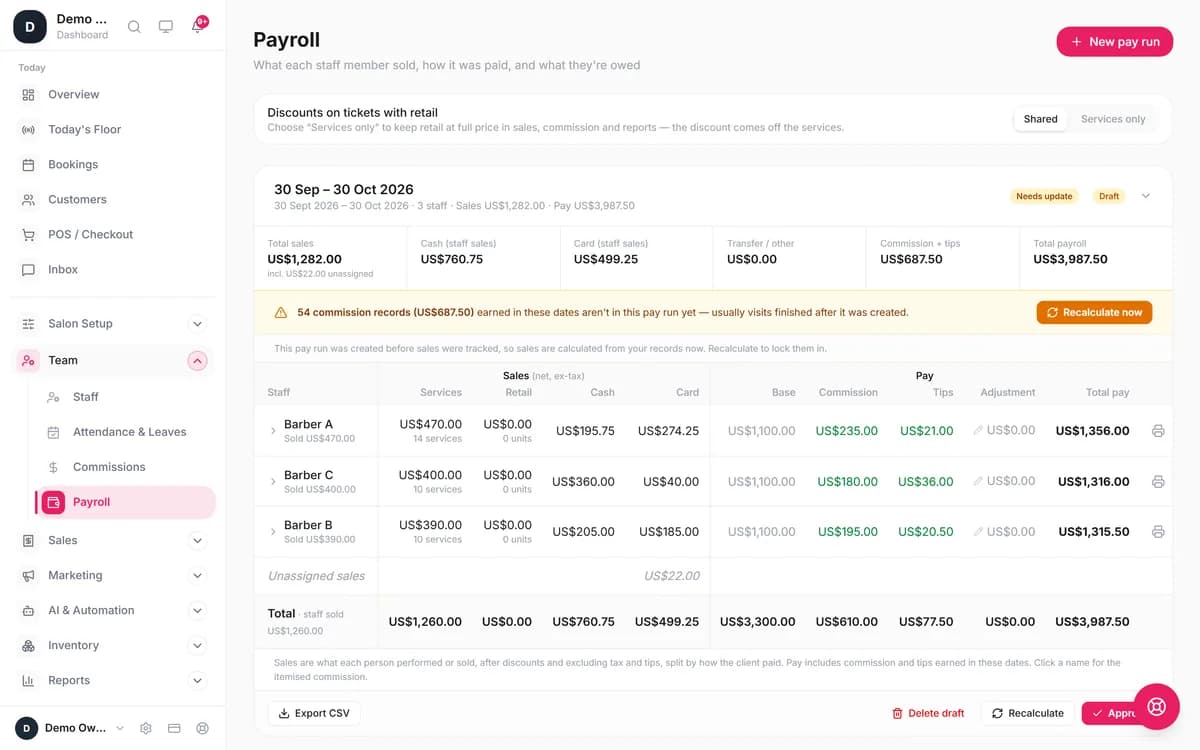
Blyssbook has tipping built into checkout on every plan: choose 10%, 15%, 20% or a custom tip for the stylist, and split the bill between cash and card. On Professional and Enterprise each tip is added to that stylist's payroll line next to their commission, so tips aren't counted by hand at the end of the week.
Can you take deposits for color and extensions?
Yes, on Professional and Enterprise, through your own Stripe account: the client pays a deposit online when booking a long service. Without Stripe, or on Starter, there are no online deposits. In the salon the POS records cash, card and transfer on any plan, using your own card machine.
Does it send appointment reminders?
On Professional and Enterprise, yes: WhatsApp reminders 24 hours and 2 hours before each appointment, plus confirmations, review requests and win-back messages after 30 or 60 days away. You switch each one on in AI & Automation → Automations. Starter sends a confirmation email but no automatic reminders.
Professional also adds an AI assistant that answers WhatsApp messages and books appointments; you can try the WhatsApp AI first. On Enterprise, the AI phone receptionist answers calls while you're mid-cut.
Try the AI: chat with our booking assistant like a client, no signup
How much does hair salon software cost?
Blyssbook costs $11 a month for up to 5 staff or $21 for up to 15, per salon. On public price lists checked in October 2026, Booksy is $29.99 plus $20 per extra team member, Vagaro $30 plus $10 per added calendar, and GlossGenius $56 on its Gold plan for up to 9 staff.
| Software | Monthly list price | Salon with 5 stylists | Trial |
|---|---|---|---|
| Blyssbook | $11 Starter, $21 Professional, per salon | $11, or $21 with reminders and payroll | 14 days, no card |
| Booksy[1] | $29.99 plus tax, $20 per extra team member | $109.99 | 14 days |
| Vagaro[2] | $30 ($23.99 for the first 6 months), $10 per added calendar up to seven | $70 | 30 days |
| GlossGenius[3] | Standard $28, Gold $56 (up to 9 staff) | $56 | 14 days |
| Fresha[4] | $14.95 per team member a month, or $19.95 for one person (US prices, October 2026), plus a one-time fee on new marketplace clients | $74.75 (5 × $14.95) | 7 days |
Checked 13 October 2026. The five-stylist column is our arithmetic from each list price, assuming the base price covers one person, before tax and card fees.
Booksy includes SMS marketing messages and GlossGenius processes cards at a flat 2.6%; Blyssbook does neither, so weigh that if SMS marketing or built-in card processing matters to you. Moving from Fresha? See our Fresha alternative comparison. Working alone? Read the solo stylist software guide.
What doesn't Blyssbook do for hair salons?
- No gift cards.
- No structured formula builder or before-and-after photo gallery; the formula is a text note.
- No automatic reminders on Starter.
- No built-in card processing; online deposits need your own Stripe account.
- No offline mode.
How do you move your salon to Blyssbook?
- Export your clients as a CSV from your current system (Fresha, Booksy, Vagaro, Square and others).
- Start the trial and upload the file in Customers → Import clients.
- Add services with durations and prices, and switch on overlap for color services.
- Add stylists and their working hours.
- Share your booking link on Instagram, Google and WhatsApp.
Barbers and nail techs have their own pages: barber shop software and nail salon software.
Sources
- [1] Booksy Biz US pricing: https://biz.booksy.com/en-us/pricing, checked 13 October 2026.
- [2] Vagaro pricing: https://www.vagaro.com/pro/pricing, checked 13 October 2026.
- [3] GlossGenius pricing: https://glossgenius.com/pricing, checked 13 October 2026.
- [4] Fresha pricing: https://www.fresha.com/pricing, checked 13 October 2026.
Booksy, Vagaro, GlossGenius, Fresha, Square and Stripe are trademarks of their owners and are mentioned only to compare products. Blyssbook is not affiliated with them.
By Sam Rahman, Salon Operations & Content · Last updated 13 October 2026
Written by Sam Rahman from Blyssbook setups and product testing. Product facts checked against the app on 13 October 2026. Competitor prices are from each vendor's public pricing page on 13 October 2026 (sources below).