

In-depth guide
Compare and decide: Blyssbook against other solo stylist software
Prices, what each plan includes, where GlossGenius, Fresha or Square Appointments is the better choice, and what Blyssbook does not do yet.
What does a solo stylist's day look like in Blyssbook?
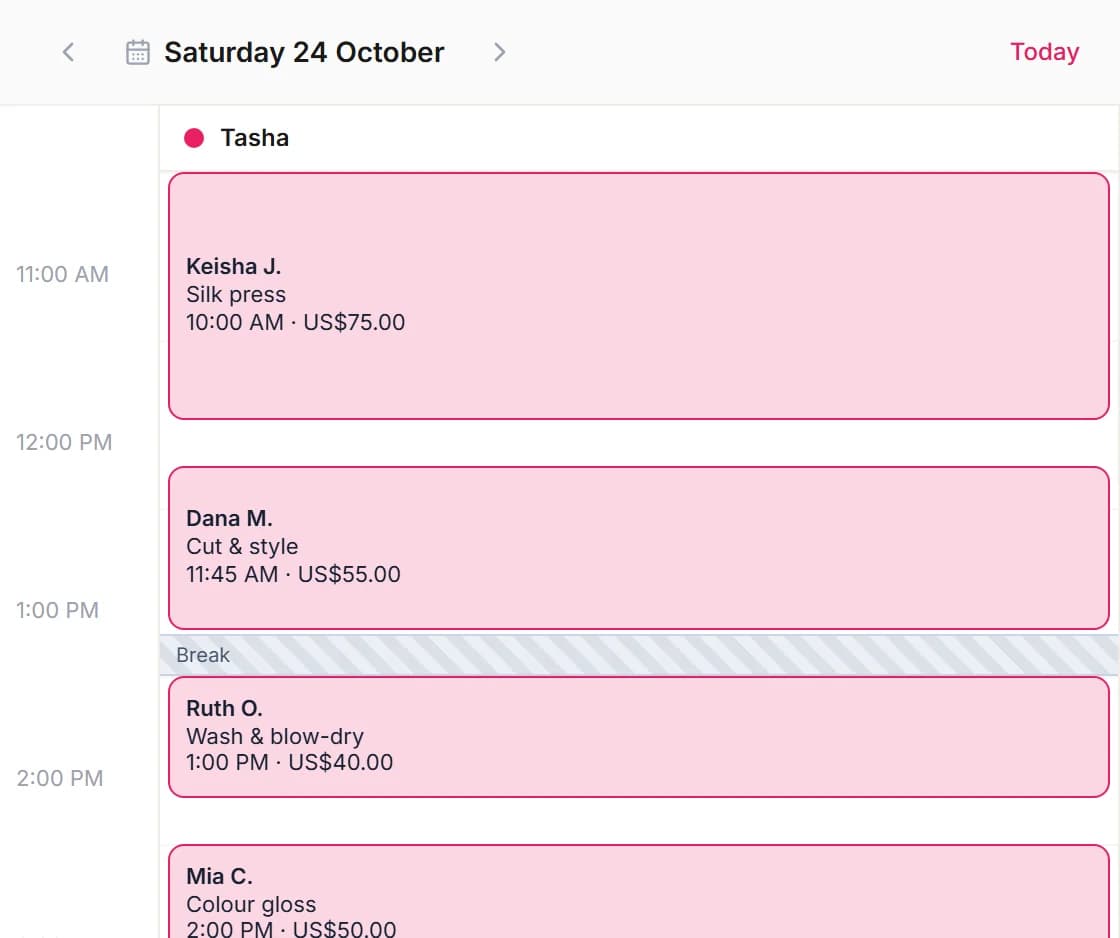
Here is a typical booth-rental day, set up the way we configure it for independent stylists. The client names are made up.
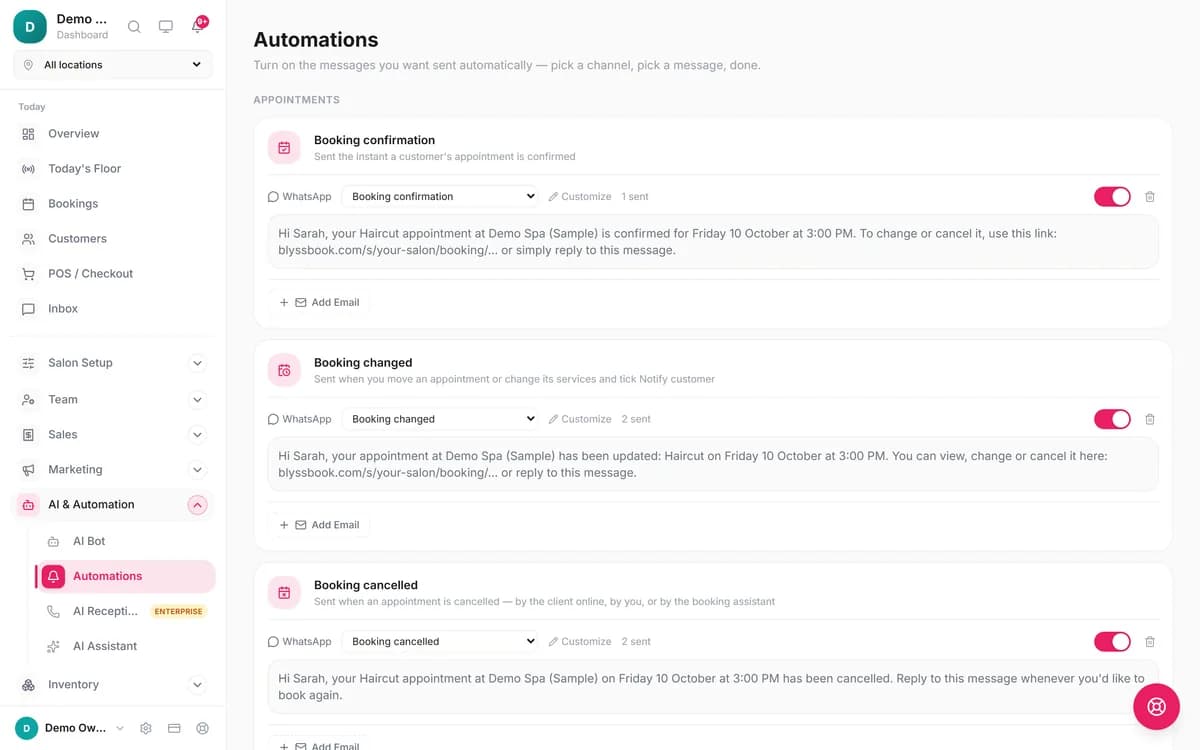
- Before the first client. You open the calendar on your phone. Two bookings came in overnight through the link in your Instagram bio, which points to your page at blyssbook.com/s/your-name. Each one sent you a notification and the client a branded confirmation email.
- Reminders went out yesterday. On Professional, the 24-hour WhatsApp reminder reached today's clients automatically, and the 2-hour one goes out this morning. On Starter you'd send those yourself.
- 10:00, a color appointment. You open Client A's card. The hair formula from the last visit, an allergy note and a "prefers quiet appointments" internal note are all there, so you mix without guessing.
- Checkout. The service is $185. Client A picks the 20% tip button ($37) and splits the $222 bill: $150 on card and $72 on Cash App. The POS records both methods on one invoice.
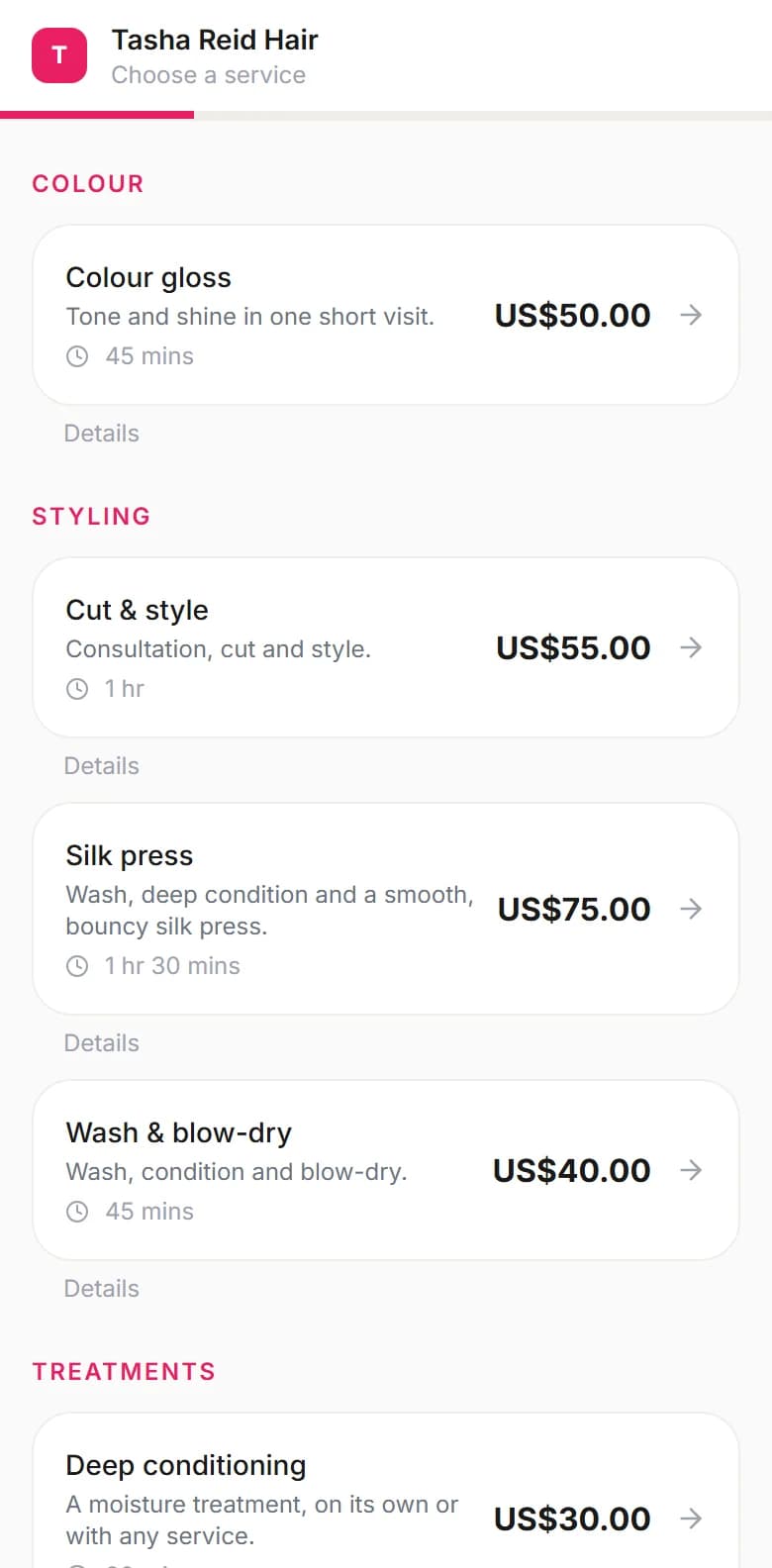
- Between clients. Someone messages your WhatsApp asking what a gloss costs. The Smart Booking Bot replies with your service menu and open times and books the slot. If they ask for you, it hands the chat over.
- End of day. The Close Register screen totals the day's takings by cash, card and transfer, so your booth-rent and tax records start from real numbers.
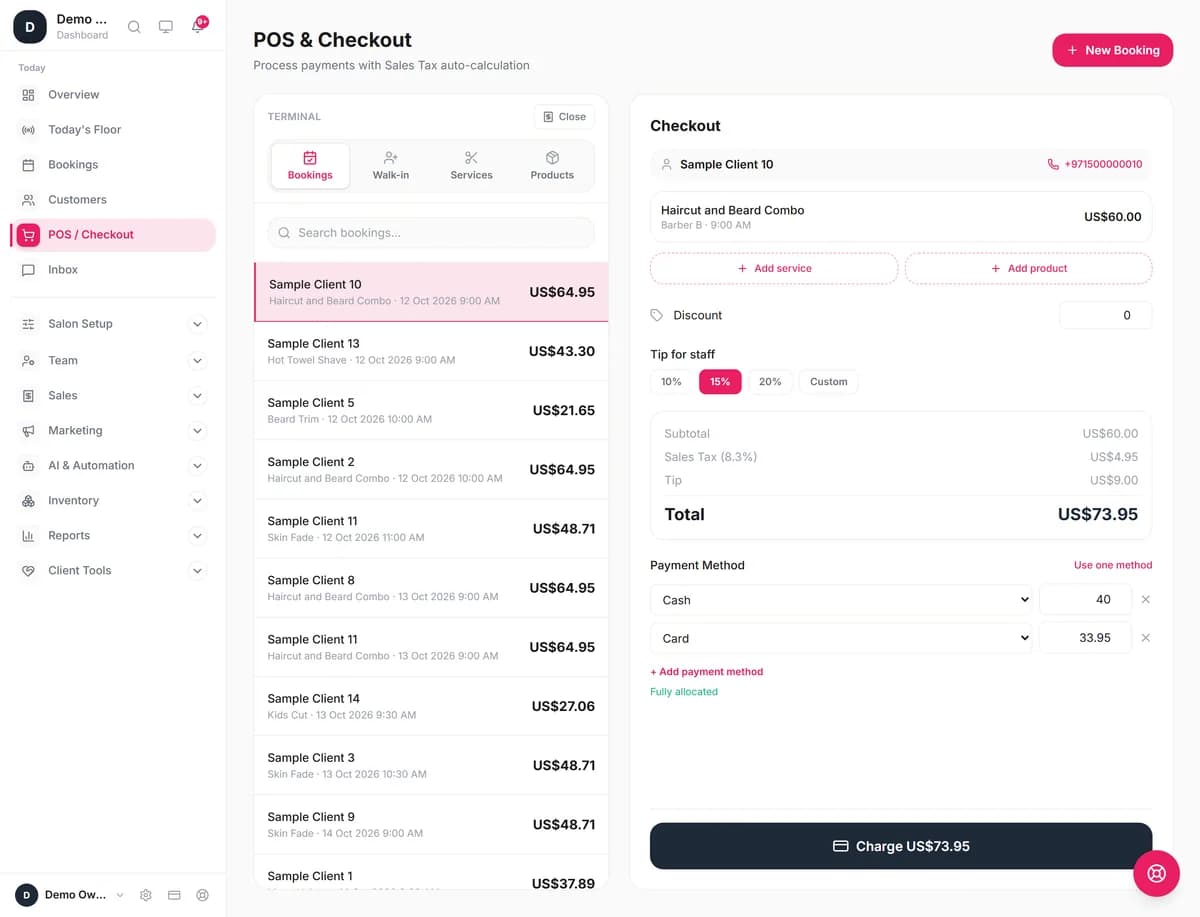
Every checkout step, from tips to cash-up, is shown on our salon POS with tips and split payments page.
What do you get for a one-person business?
| Feature | What it does | Plan |
|---|---|---|
| Booking page | Your own page with services, prices and live availability, at blyssbook.com/s/your-name. Share it in your Instagram bio, Google profile or WhatsApp status. | All plans (custom domain from Professional) |
| Calendar | Working hours, breaks and blocked time, so clients only see slots you can take. | All plans |
| Client notes | Fields for notes, internal notes, allergies, hair formula, skin notes, tags and birthday, plus visit and spend history. | All plans |
| POS | Cash, Card, Transfer, Cash App and Venmo, split across methods, with tips and retail products on the same invoice. | All plans |
| WhatsApp booking | Smart Booking Bot (rule-based) on every plan. The Advanced AI Bot, which handles free-form chat and voice notes, is on Professional. | All plans / Professional |
| Reminders and review requests | Automated 24-hour and 2-hour reminders and post-visit review requests, by WhatsApp or email. | Professional and up |
| Deposits | A deposit or saved card at online booking, through your own Stripe account. | Professional and up, needs Stripe |
Set up your booking page
- Sign up and add your services with prices and durations.
- Set your working hours and any days off.
- For deposits (Professional and up), connect Stripe in Settings → Payments, then set the deposit rule in Settings → Booking.
- Copy your booking link and put it in your Instagram bio and Google Business Profile.
How much does it cost, and which plan fits?
Plans have no commission and no per-booking fee. Most solo stylists start on one of the first two.
| Plan | Price | Fits you if |
|---|---|---|
| Starter | $11/month | You want a booking page, POS and client notes, have fewer than 500 clients and 200 bookings a month, and are happy to remind clients yourself. |
| Professional | $21/month | No-shows cost you money (reminders and deposits help), you want review requests sent for you, or your list is between 500 and 2,000 clients. |
| Enterprise | $49/month | You want the AI phone receptionist to answer calls while you work. The number and call minutes cost extra; see the AI receptionist page. |
A booth renter doing 80 appointments a month pays the same $11 or $21 as one doing 20. Card fees, if you take deposits online, go to Stripe, not to us.
What Blyssbook doesn't do (yet)
- No automated reminders on Starter. They start on Professional.
- No built-in card processing or card reader. You use your own card machine and record the payment, or, from Professional, connect Stripe for online deposits.
- No gift cards.
- No iPhone app. The staff app is on Google Play; on an iPhone you use the browser.
- Starter caps you at 500 clients and 200 bookings a month.
- The AI phone receptionist is Enterprise only.
How does it compare with GlossGenius, Fresha and Square Appointments?
| Software | Entry price | Card processing | Trial |
|---|---|---|---|
| Blyssbook | $11/month (Starter), $21 with reminders | Not built in; online deposits (Professional and up) through your own Stripe account | 14 days, no card |
| GlossGenius[1] | Standard $28/month, or $24/month billed annually | Flat 2.6% | 14 days, no card |
| Square Appointments[2] | Free plan $0/month per location; Plus $49 | Free plan: 2.6% + 15¢ in person, 3.3% + 30¢ online | Free plan is free to use; paid-plan trial length not shown |
| Fresha[3] | $19.95 a month for one person (Independent); the Team plan is $14.95 per team member a month. US prices, October 2026; the page localizes by visitor location. | Not verified | 7 days |
Fresha's pricing page also describes a one-time fee on brand-new clients who find you through its marketplace (US amount not verified); returning clients carry no fee[3]. For a side-by-side on one tool, read our GlossGenius alternative comparison or Fresha alternative comparison.
Where GlossGenius, Fresha or Square may suit you better
- You want card payments built in. GlossGenius and Square process cards inside the same app; Blyssbook only records a payment you took elsewhere, apart from Stripe deposits.
- You want to pay nothing monthly. Square's free plan is aimed at solo professionals and costs $0 a month; you pay per card payment instead.
- Your clients expect texts. GlossGenius lists text credits in its plan comparison. Blyssbook can send texts through your own Twilio or Telnyx account, but doesn't include any.
- You want marketplace discovery. Fresha lists you in a consumer marketplace that can send new clients, for a fee on each new one.
How do you switch from your current app?
- Export your client list as a CSV from GlossGenius, Square, Fresha, Vagaro or Booksy.
- In Blyssbook, open Customers → Import clients and upload it.
- Check the column matching and the preview. Names, phones, emails, birthdays, notes, tags and visit counts can come across.
- Add your services, then swap the booking link in your Instagram bio and Google profile.
- Keep the old app open until your already-booked appointments have passed.
Working with a team later? See hair salon software or nail salon software for multi-chair setups, and our salon software prices for small businesses, which totals the monthly cost of seven tools for a 3-chair salon.
Sources
- [1] GlossGenius pricing: https://glossgenius.com/pricing, checked 12 October 2026.
- [2] Square Appointments pricing: https://squareup.com/us/en/appointments/pricing, checked 12 October 2026.
- [3] Fresha pricing: https://www.fresha.com/pricing, checked 12 October 2026.
GlossGenius, Fresha, Square, Stripe, Cash App, Venmo, Vagaro and Booksy are trademarks of their owners and are mentioned only to compare products. Blyssbook is not affiliated with them.
By Sam Rahman, Salon Operations & Content · Updated 12 October 2026
Written by Sam Rahman from Blyssbook setups and product testing. Product facts checked against the live app on 12 October 2026. Competitor facts are from each vendor's public pages on 12 October 2026 (sources below).