

In-depth guide
Compare and decide: Blyssbook against other nail salon software
Prices, what each plan includes, where Fresha, Booksy, Vagaro, GlossGenius or Square is the better choice, and what Blyssbook does not do yet.
What should nail salon software do, and what does Blyssbook cover?
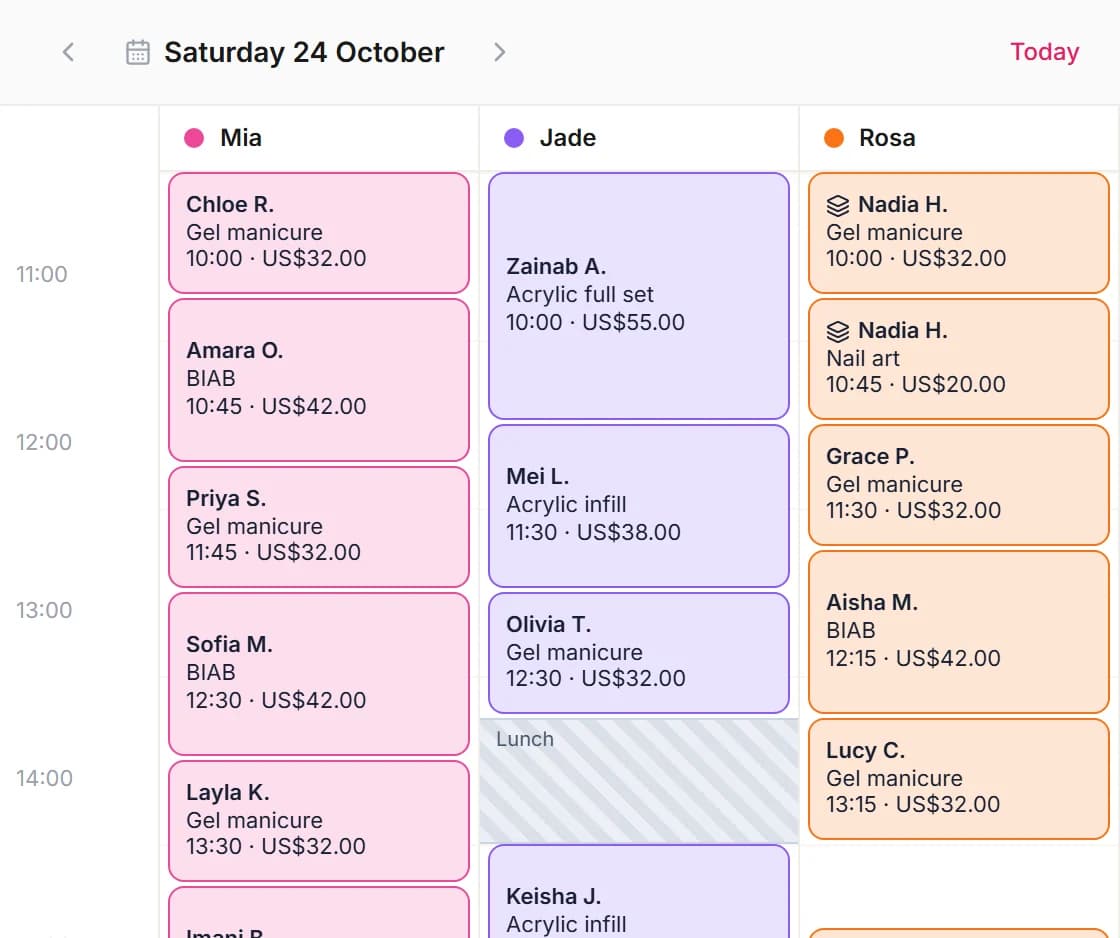
A nail salon needs short appointments booked to the right tech, walk-ins that don't break the diary, quick checkout with tips, and clients coming back every few weeks. Blyssbook does all four. It doesn't do gift cards. Here is each need and the plan it sits on.
| What a nail salon needs | Blyssbook | Plan |
|---|---|---|
| A diary per tech | One calendar column per tech; clients pick a tech or "any available" (see below) | All |
| Different price or time per tech | A senior tech can charge more or take longer for the same service | All |
| Walk-ins | Today's Floor: Add Walk-in, estimated wait, Start Service, Send to POS (how) | All |
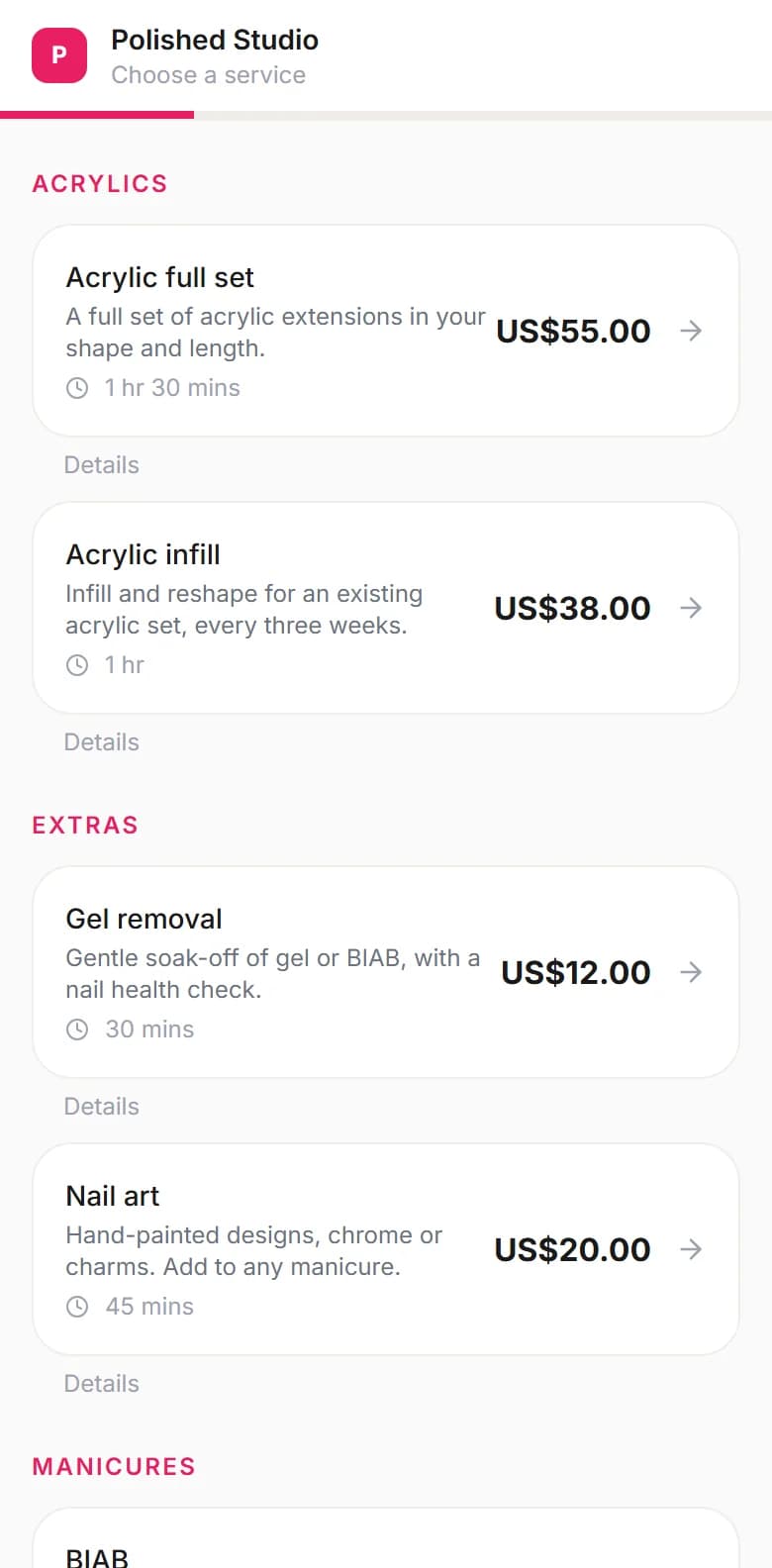
| Add-ons like art and removal | Services with their own price and time; can be hidden from the online menu and offered in the salon only | All |
| Repeat every 3 weeks | Repeating bookings: weekly, 2, 3, 4 weeks or monthly, up to 26 visits (how) | All |
| Allergy and sensitivity notes | Notes on the client record; the floor board flags them and the printed service ticket shows them | All |
| Reminders | WhatsApp or email, 24 hours and 2 hours before | Professional+ |
| Prepaid sets and memberships | Session packs redeemed at checkout; memberships collected by hand | Professional+ |
| Polish and retail stock | Products in the POS with a low-stock warning | All (50 products on Starter) |
| Tech pay | Commission, salary or both; tips on the pay line | Professional+ |
What does a nail salon day look like in Blyssbook?
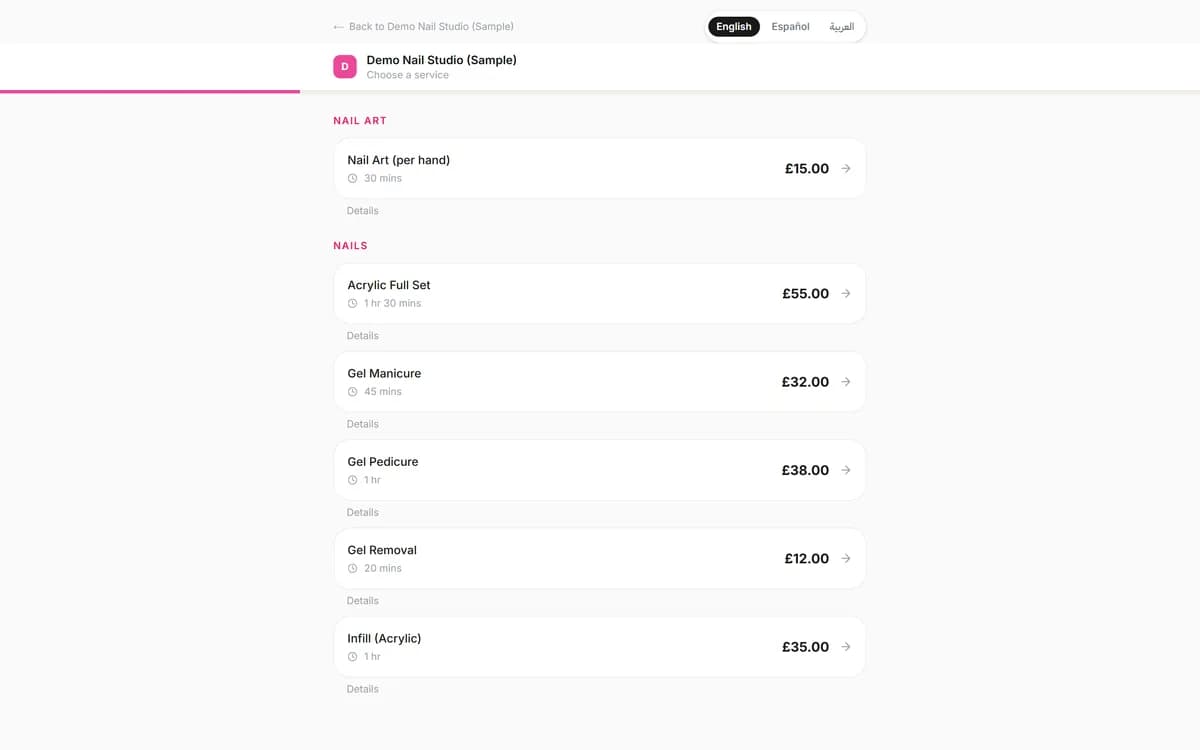
We set up a demo nail studio with three techs and a menu of gel, acrylic and art, priced in pounds. Every client in the screenshots is a sample. The list below is a morning: three techs start at 9:00, a walk-in is tagged in the list, and some tickets are already paid.
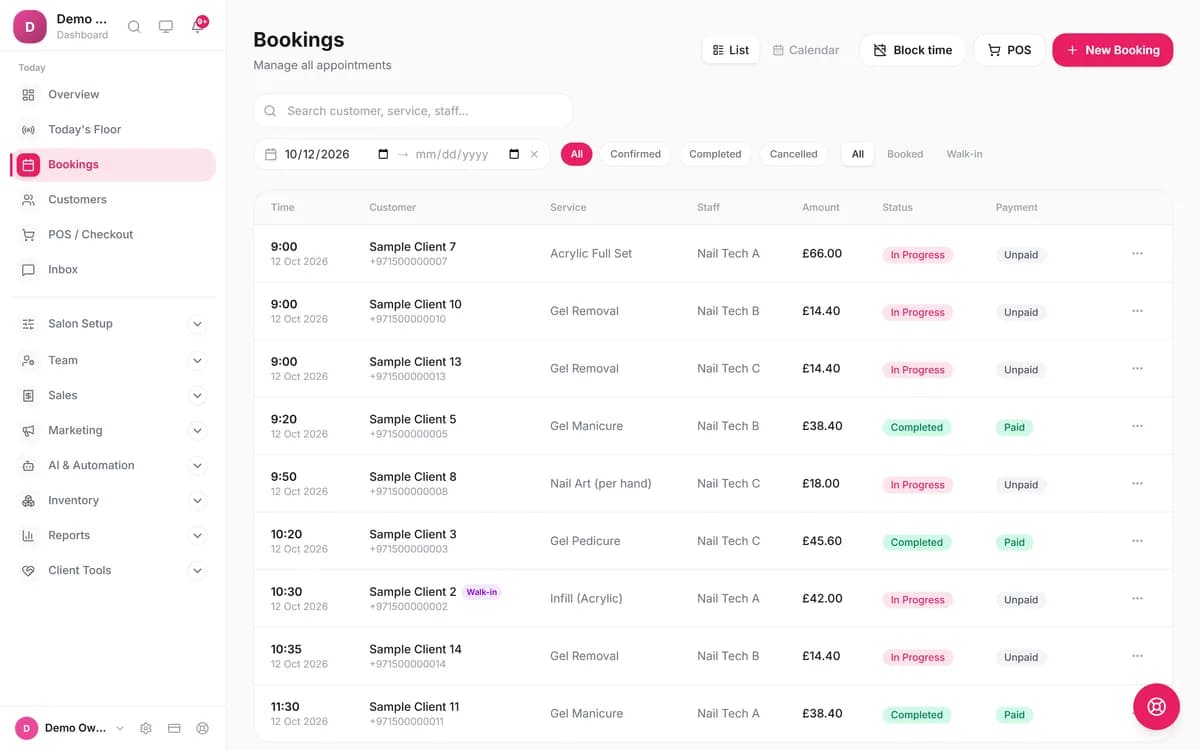
Press New Booking, pick the client, the service and the tech, and the block fills the service's full length. Clients booking online see only the times that tech is free, or any tech if they don't mind. If a senior tech charges more or takes longer for the same service, set that on the tech's profile and the price and length change when that tech is picked.
Mani and pedi for one client with two techs
There are two ways, and they differ. For techs working one after the other, add both services to one visit and give each its own tech. The services run back to back and check out together. For techs working side by side, make two bookings with the same start time. They appear side by side on the calendar, but they aren't linked, so you check each out separately. Clients booking online choose one service per booking.
How does Blyssbook handle nail salon walk-ins?
Open Today's Floor and press Add Walk-in. It creates a real booking that joins the Waiting column with an estimated wait, next to Upcoming Today and In Service. Press Start Service and Blyssbook assigns the first free tech, or the one the client asked for, and blocks that tech's time so online bookings can't land on top. When the tech finishes, Send to POS opens checkout.
The wait estimate works from who is mid-service and the walk-ins ahead of this one. It doesn't see appointments booked for later, so glance at the calendar before quoting a time. The floor board is on every plan. The waitlist, where you note clients who want an earlier slot and ping them when one opens, is on Enterprise.
How do you get nail clients to rebook every 3 weeks?
Book the next visit before the client leaves. When you make a booking, switch on Repeats and choose every 3 weeks (the options are weekly, every 2, 3 or 4 weeks, or monthly) and a number of visits, up to 26. Every visit is created at once, holds the slot and shows on the calendar. Visits that clash with another booking are skipped and listed, so you can fix them by hand.
The WhatsApp side is on Professional. The 24-hour and 2-hour reminders cut forgotten visits, and a "we miss you" message goes out after 30 or 60 days without a visit, to clients who agreed to marketing messages. Those two day counts are fixed: there isn't a 3-week nudge, which is why repeating bookings do the 3-week job. Our WhatsApp booking guide and guide to reducing no-shows cover the message set-up.
What does the nail salon POS do at checkout?
The POS takes cash, card and transfer, splits one bill across them, adds retail, applies a discount and takes a 10%, 15%, 20% or custom tip. It runs on any phone, tablet or computer with a browser. A tip is one amount for the whole ticket, and Blyssbook divides it equally between the techs who worked on it, so a mani and a pedi by two techs share it. Every plan includes the POS; details are on the salon POS page.
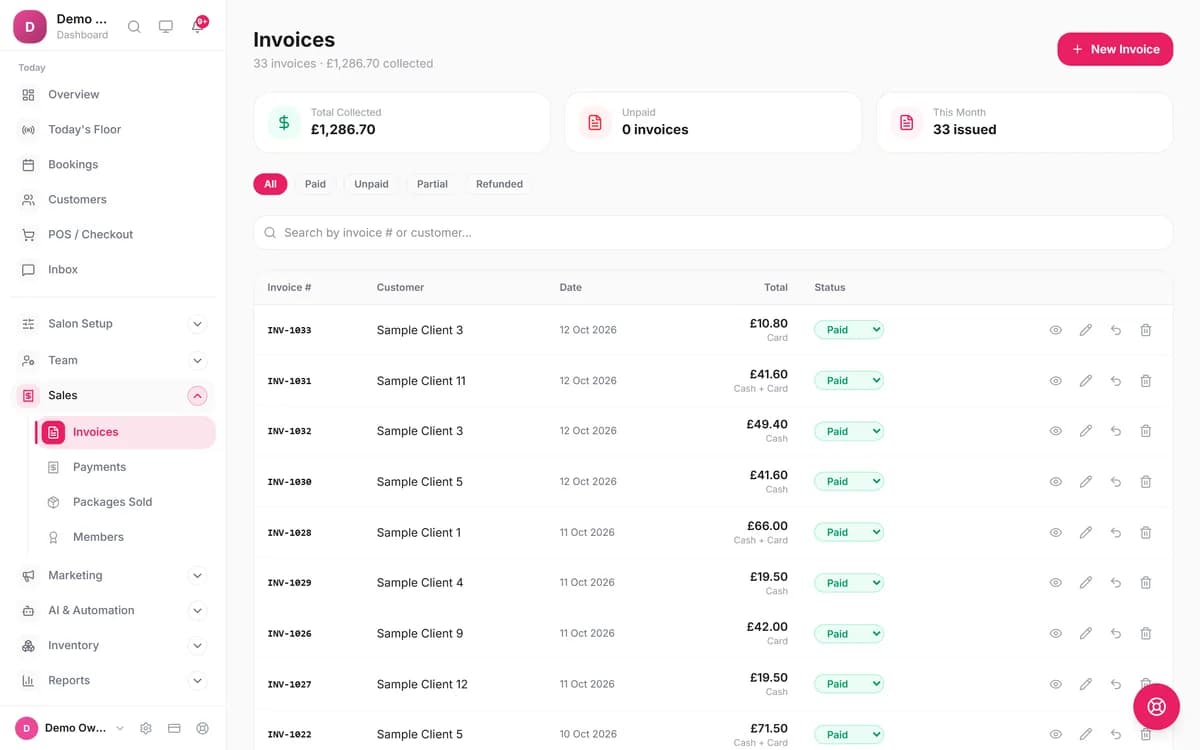
Card payments inside Blyssbook go through your own Stripe account where Stripe is available; Blyssbook doesn't sell card readers or process cards itself. You can also record a card payment taken on your own terminal and use Blyssbook for the sale, the tip and the till total.
How do you pay nail techs in Blyssbook: commission or salary?
Each tech is set to commission only, salary only, or salary plus commission. Under Team → Commissions you give each tech a percentage or fixed amount per service and per retail product, and Team → Payroll builds a pay run with base, commission, tips and adjustments per tech, which you can export to CSV. There is no hourly pay, no time sheets and no booth-rental billing. These are Professional features; see the pricing page for the plan limits.
Can clients book a nail tech from Instagram?
Yes. Every salon gets a booking page at blyssbook.com/s/your-salon with a Book Now button and a WhatsApp chat button, in English, Spanish and Arabic. Paste the link in your Instagram bio, your Google Business Profile or a WhatsApp status. Clients pick a service, a tech and a time on their phone without making an account. A solo tech can run the whole thing from Starter. See the solo stylist software page for the one-person setup.
Clients can also book by messaging you on WhatsApp. Every plan includes the rule-based Smart Booking Bot, which replies in English, Arabic or Spanish; Professional adds the Advanced AI Bot, which answers questions in normal sentences and replies to voice notes. You can try the WhatsApp AI bot before signing up.
Prepaid sets and memberships
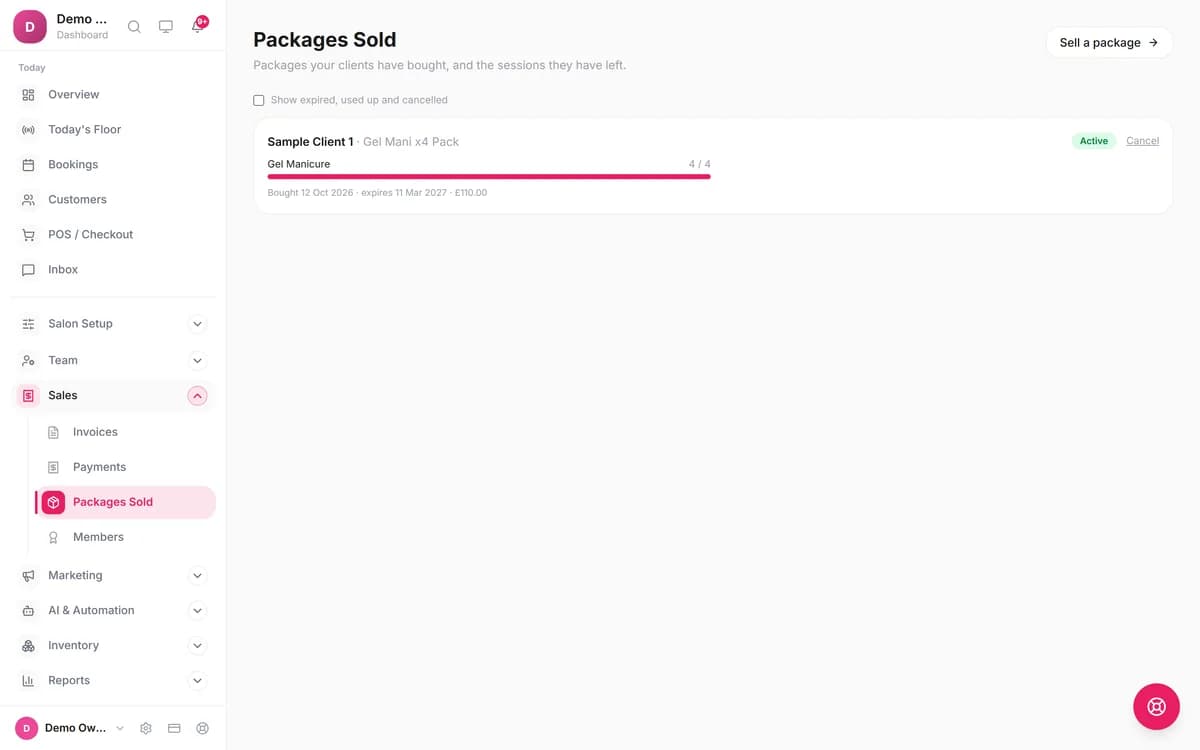
On Professional you can sell a pack, such as four gel manicures for £110, and redeem one session at each checkout. Sales → Packages Sold shows the sessions left and the expiry date. Memberships set a monthly fee and a member discount, but Blyssbook doesn't charge the card for you: on the due date the member shows as payment due and you press Collect payment.
How much does Blyssbook cost for a nail salon?
$11, $21 or $49 a month, or ten times the monthly price for a year. Starter allows 5 staff, which suits a solo tech or a small studio. A salon with 6 to 15 techs, or any salon that wants reminders, needs Professional.
| Plan | USD | GBP | AED | What a nail salon gets |
|---|---|---|---|---|
| Starter | $11 | £9 | AED 39 | Online booking, a calendar column per tech, walk-ins, POS with retail and tips, client records, inventory (50 products), the WhatsApp Smart Booking Bot. Up to 5 staff, 500 clients, 200 bookings a month. No automated reminders. |
| Professional | $21 | £16 | AED 79 | Adds WhatsApp and email automations (24-hour and 2-hour reminders, review request, 30 and 60-day win-back), packages, memberships, loyalty, staff commissions and payroll. Up to 15 staff, 2,000 clients, 1,000 bookings a month. |
| Enterprise | $49 | £37 | AED 179 | Adds up to 10 branches, unlimited staff, clients and bookings, the waitlist, and access to the AI phone receptionist (number and minutes paid separately). |
There's no commission on bookings, and WhatsApp messaging is unlimited on every plan. Full details are on the pricing page.
Which is the best nail salon software: Blyssbook, Fresha, Booksy, Vagaro, GlossGenius or Square?
Pick Fresha, Booksy, Vagaro or GlossGenius if you want gift cards, built-in text reminders or a consumer app that sends you new clients. Pick Square Appointments if you are solo and want a free plan tied to its card reader. Pick Blyssbook if your clients live on WhatsApp, you want one flat price with no fee on new clients, and you want walk-ins, tips and tech pay in the same place.
| Checked 12 to 17 Oct 2026 | Blyssbook | Fresha[1] | Booksy[2] | Vagaro[3] | GlossGenius[4] | Square Appointments[5] |
|---|---|---|---|---|---|---|
| Starting price | $11/month; $21 with reminders and commission | $19.95 a month for one person, $14.95 per team member a month (US, October 2026) | $29.99/month plus tax | $30/month for one calendar ($23.99 for the first 6 months) | Standard $28/month ($24 billed annually); Gold $56 for up to 9 staff | A free tier for solo professionals; Plus $49 and Premium $149 per location (read 12 Oct; prices not shown on 17 Oct) |
| Extra techs | Included: 5 staff on Starter, 15 on Professional | Team plan priced per team member | $20/month per additional user | $10/month per extra calendar, up to 7 | By plan (Gold is for up to 9 staff, Platinum for 10+) | "No employee limit" |
| Free trial | 14 days, no card | 7 days | 14 days, no card | 30 days | 14 days, no card | Not stated |
| Fee on new clients | None | One-time fee on brand-new marketplace clients; amount not on the page | Boost: one-time 30% of a new client's first visit, capped at $100; free to turn on | None listed | None listed | None listed |
| Walk-ins and waitlist | Floor board with wait estimate (all plans); waitlist on Enterprise | Not stated on the pricing page | Waitlists listed as included; walk-ins not mentioned | "Customer waitlist options" and a check-in app listed | Automated waitlist listed under Gold | Waitlist listed under Plus |
| Reminders | WhatsApp (Professional+), email and SMS (your own Twilio or Telnyx) | 20 free text and WhatsApp messages a month, then paid per message | Confirmations and reminders free; 2,000 SMS marketing messages a month | "Unlimited notifications & appointment reminders" (channel not stated) | Text credits included on plans; WhatsApp not stated | Not stated on the pricing page |
| Gift cards | No | Yes | Online gift cards listed as included | Gift certificates listed as included | Gift cards listed (plan not stated) | Not stated on the pricing page |
| Card processing | Your own Stripe account | Optional add-on, rate not shown | 2.69% + $0.30 keyed; 2.49% + $0.10 with Booksy reader | Free card reader with Vagaro Merchant Services; rates not stated | Online invoices 2.9% + $0.30; in-person rate not shown | 2.6% + 15¢ in person is the first of three listed rates; plan columns unlabeled[6] |
For the longer head-to-heads, read Blyssbook vs Fresha, Blyssbook vs Booksy, Blyssbook vs Vagaro and Blyssbook vs GlossGenius.
Where Fresha, Booksy, Vagaro, GlossGenius or Square is the better choice
- Gift cards. Fresha, Booksy, Vagaro and GlossGenius list them. Blyssbook has none.
- Text messages. Booksy includes reminders and 2,000 SMS marketing messages a month; Blyssbook sends reminders by WhatsApp (Professional and up), email and text (SMS, through your own Twilio or Telnyx account).
- New clients. Fresha and Booksy run consumer marketplaces that send you first-time clients, for a fee. Blyssbook is built for the clients you already have and the ones who find your link.
- Card hardware. Square, Booksy and Vagaro sell readers with their own processing. Blyssbook uses your Stripe account for online payments and doesn't sell a reader.
- Free for a solo tech. Square lists a free tier; Blyssbook's cheapest plan is $11.
- An iPhone app. Blyssbook links an Android app on Google Play from our homepage and its dashboard works in a phone browser, but there is no iPhone app.
What doesn't Blyssbook do for nail salons?
- No gift cards or vouchers.
- No linked two-tech booking: simultaneous mani and pedi are two separate bookings, and online clients book one service at a time.
- No automated reminders on Starter. They start on Professional.
- No offline mode: the dashboard needs an internet connection.
- No working intake or consultation forms yet, so a nail-enhancement consent form can't be filled in through Blyssbook. Allergy notes on the client record do work.
- No automatic membership billing, no hourly pay or booth-rental billing.
- The wait estimate for walk-ins ignores later appointments.
- The AI phone receptionist is Enterprise only, with the number and minutes paid separately. See the AI receptionist page.
How do you move a nail salon from other software?
- Export your client list as a CSV from your current system.
- In Blyssbook, open Customers → Import clients and upload the file. Exports from Fresha, Booksy, Vagaro, GlossGenius, Mindbody, Zenoti and Square are matched by their column names; you check the preview before importing.
- Add your services, durations, prices and techs by hand. Future appointments and package balances don't import, so keep a list of open sets and honour them at checkout.
- Connect WhatsApp, switch on the reminders, and share your booking link.
Questions during setup go to the team through the contact page. Salons that write in Spanish can read the Spanish nail salon page.
Sources
- [1] Fresha pricing page (US prices read October 2026; other terms re-read 17 Oct): https://www.fresha.com/pricing, checked 12 to 17 October 2026.
- [2] Booksy US pricing page: https://biz.booksy.com/en-us/pricing, checked 12 to 17 October 2026.
- [3] Vagaro pricing page: https://www.vagaro.com/pro/pricing, checked 12 to 17 October 2026.
- [4] GlossGenius pricing page: https://glossgenius.com/pricing, checked 12 to 17 October 2026.
- [5] Square Appointments pricing page (tier prices read 12 Oct and not shown in our 17 Oct re-read, so treat them as unconfirmed; waitlist re-read 17 Oct): https://squareup.com/us/en/appointments/pricing, checked 12 to 17 October 2026.
- [6] Square card processing fees (re-read 17 Oct; plan columns unlabeled): https://squareup.com/us/en/payments/our-fees, checked 12 to 17 October 2026.
Fresha's US prices ($19.95 and $14.95) were read on its US pricing page in October 2026; elsewhere it shows local currency. Gift-card and waitlist notes come from the same vendor pages, re-read on 17 October 2026.
Fresha, Booksy, Vagaro, GlossGenius, Square, Stripe, Instagram and WhatsApp are trademarks of their owners and are mentioned only to compare products. Blyssbook is not affiliated with them.
By Sam Rahman, Salon Operations & Content · Updated 17 October 2026
Written by Sam Rahman from Blyssbook setups and product testing. Product facts checked against the app, its code and a demo nail studio on 12, 16 and 17 October 2026. Competitor facts are from each vendor's public pages on 12 to 17 October 2026 (sources below).