

How to Set Up WhatsApp Booking for Your Salon
A step-by-step guide to setting up WhatsApp booking automation for your salon. Reduce no-shows, handle bookings 24/7, and never miss a client message again.
Salon Operations & Content, Blyssbook
WhatsApp is the dominant booking channel for salons across the UAE, India, Pakistan, Saudi Arabia, and increasingly the UK. Clients send a message to book, cancel, and ask questions — and they expect fast responses. Manual WhatsApp management doesn't scale. This guide explains how to set up WhatsApp booking automation for your salon.
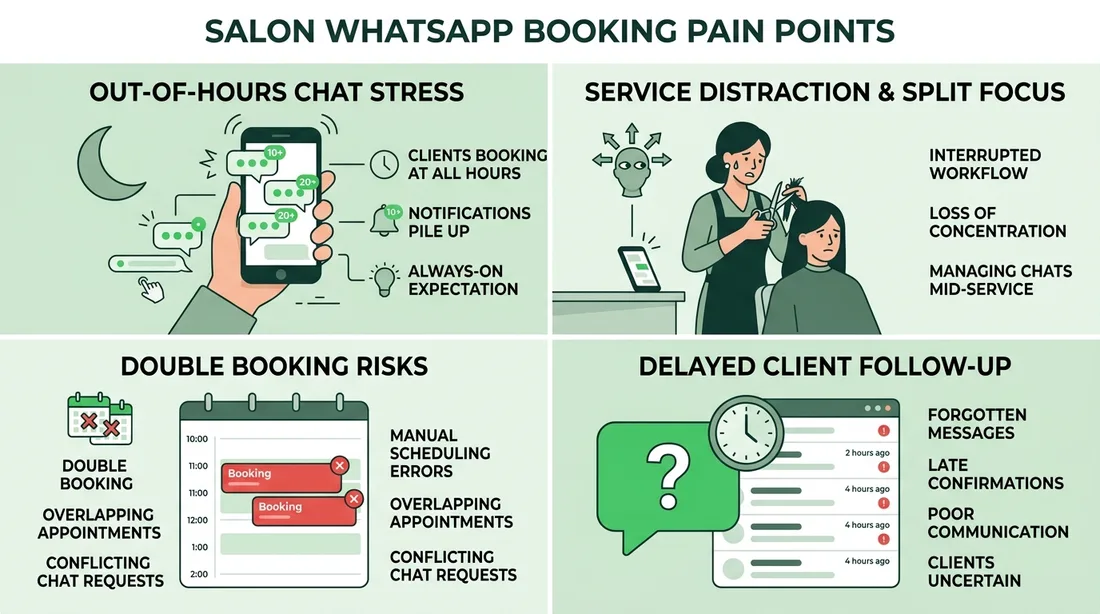
Why salons struggle with WhatsApp bookings
- Messages come in at all hours — evenings, weekends, during busy service times
- Responding manually while serving clients means delayed or missed replies
- No structured data: conversations don't connect to your calendar or client records
- Double bookings happen when staff confirms via WhatsApp without checking the calendar
- Follow-up reminders must be sent manually — and often aren't
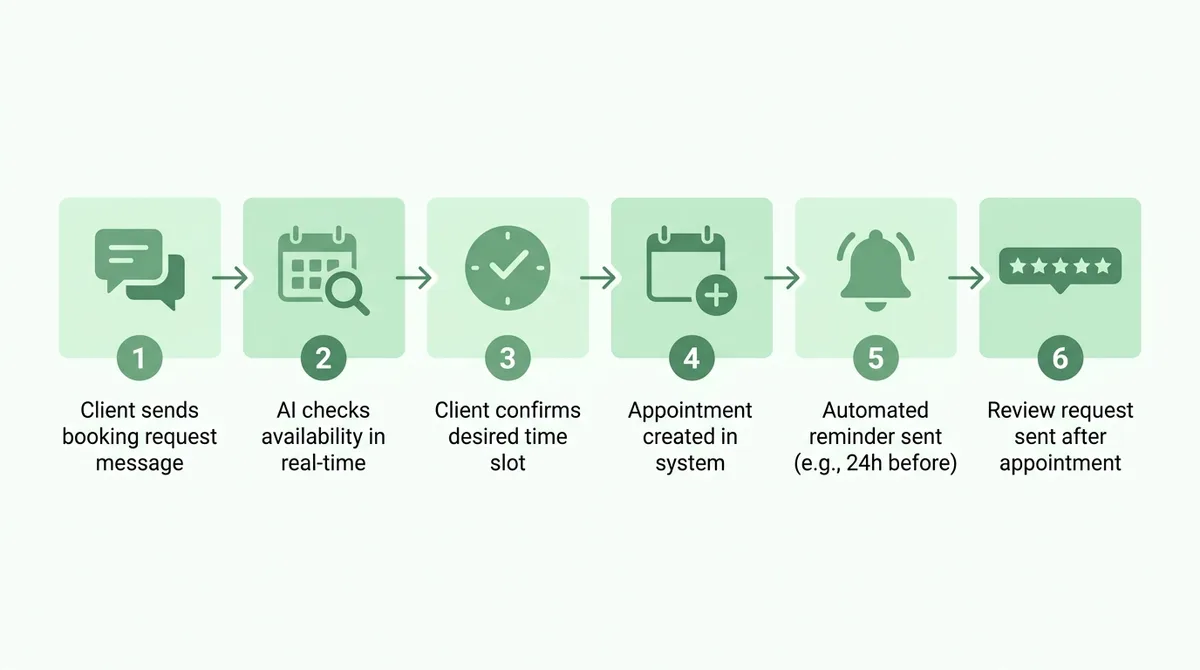
The 6-step WhatsApp booking automation flow
- 1Client sends WhatsApp message asking about availability
- 2AI checks your live calendar and responds with available slots
- 3Client selects a time and confirms the service
- 4AI creates the appointment in your calendar and sends confirmation
- 5Automated reminder sent 24 hours and 2 hours before the appointment
- 6Review request sent automatically after the visit
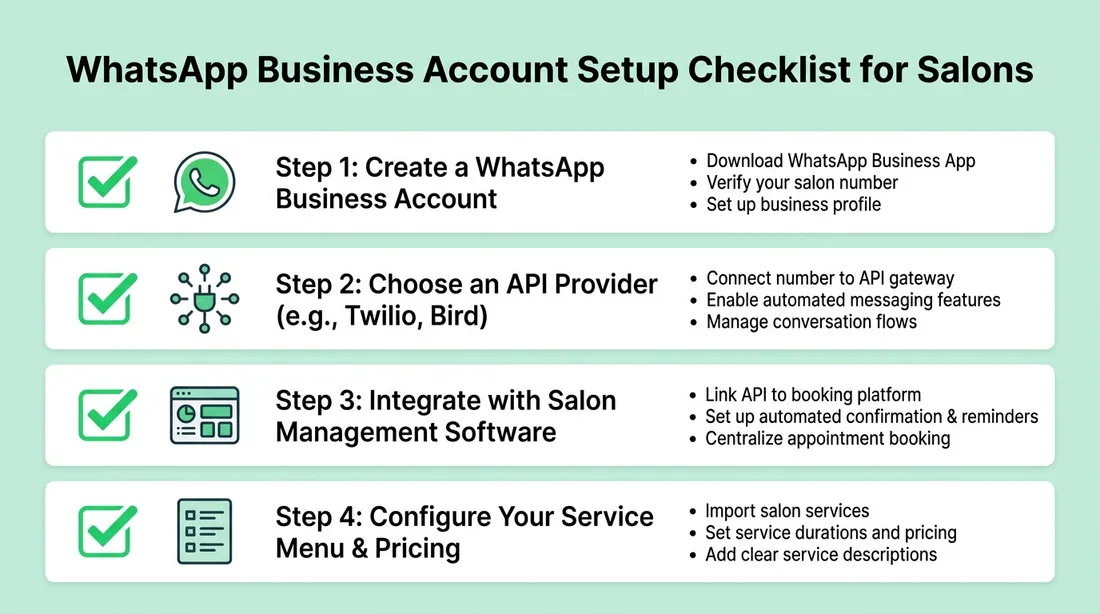
What you need to set up WhatsApp booking
- A WhatsApp Business account (free from Meta)
- A WhatsApp Business API provider (required for automation — Blyssbook integrates with supported providers)
- Salon management software with WhatsApp integration built in
- A clear service menu and staff availability set up in the platform
WhatsApp booking with Blyssbook
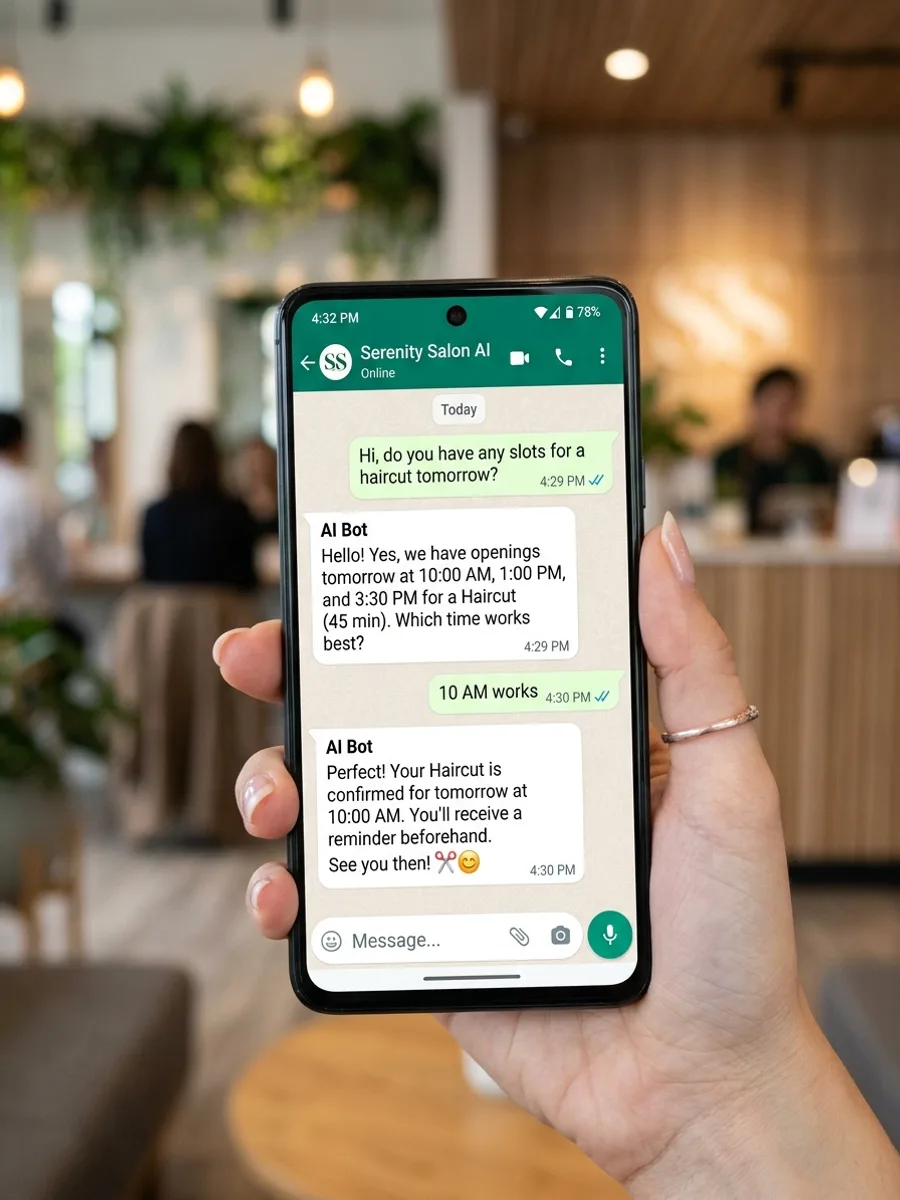
Blyssbook's WhatsApp integration works in two tiers. The Professional plan includes template-based WhatsApp messaging — confirmations, reminders, and review requests sent as structured templates. The Enterprise plan adds a full AI chatbot that handles the complete booking conversation automatically, in Arabic, English, Urdu, or Hindi depending on the client's language.
Example WhatsApp booking conversation (AI)
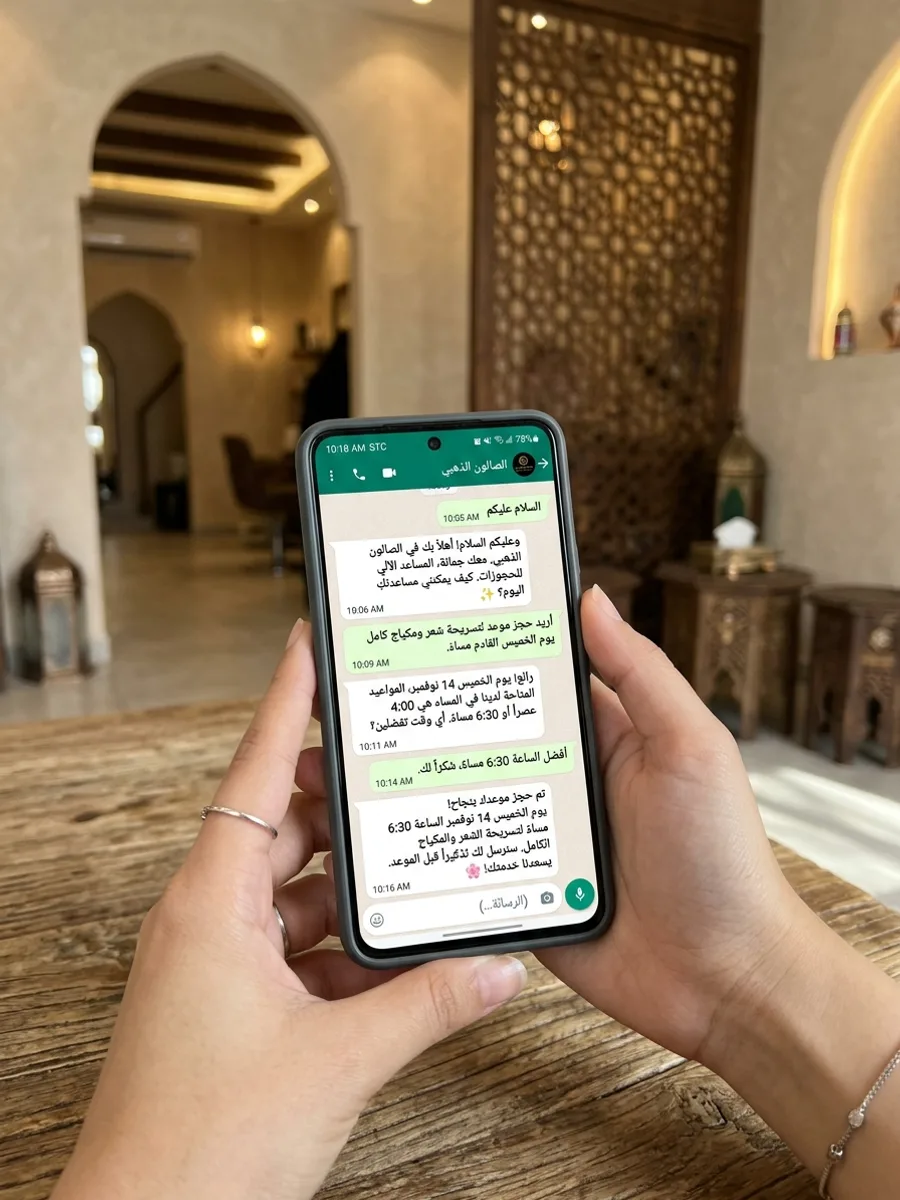
WhatsApp booking in Arabic
For salons in Saudi Arabia, UAE, and other Arabic-speaking markets, Blyssbook's AI handles booking conversations in Arabic natively. Clients send messages in Arabic and receive natural, accurate responses — not translated templates.
Results from WhatsApp automation
| Metric | Before automation | After automation |
|---|---|---|
| Response time | 2-8 hours (manual) | Under 30 seconds (AI) |
| Bookings captured outside hours | ~20% | 100% |
| No-show rate | 15-25% | 3-8% |
| Staff time on WhatsApp | 2-3 hours/day | Under 15 min/day |
| Review collection rate | 5-10% | 40-60% |
Common questions about WhatsApp salon booking
Do I need a WhatsApp Business API to automate bookings?
Yes, for full automation you need WhatsApp Business API access through an approved provider. Blyssbook guides you through connecting a supported WhatsApp provider when you set up your account.
Can the AI handle languages other than English?
Yes. Blyssbook's WhatsApp AI handles Arabic and English natively, and detects the client's language automatically.
What happens if the AI can't answer a question?
When the AI encounters a question outside its scope, it flags the conversation for human review and notifies your staff. You can take over the conversation at any point.
Written by Sam Rahman, Salon Operations & Content at Blyssbook. Last updated 2 July 2026.